
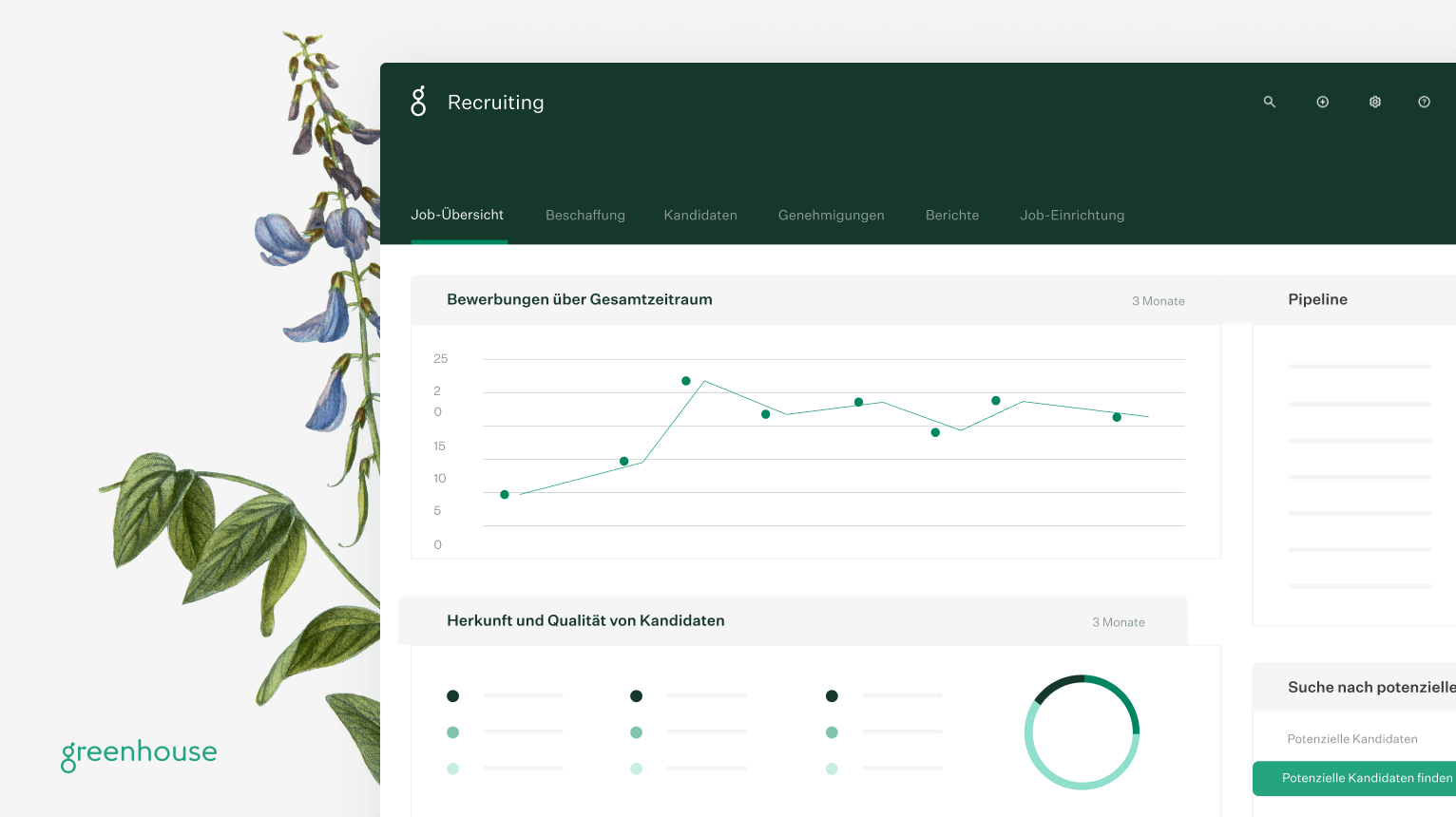
Greenhouse: a hiring platform for structured recruiting
Greenhouse is a cloud hiring platform for teams that want to organise applications, sourcing, interview scheduling, decisions and new-hire onboarding in one connected process. It is particularly relevant when recruiters and hiring managers need shared interview kits, consistent scorecards and usable reporting; its licence prices are not public and are offered individually.
An applicant tracking system, or ATS, centralises applications, candidate data, workflow stages and feedback. Greenhouse combines that ATS foundation with recruiting CRM, scheduling, reporting, integrations and plan-dependent automation. Its practical value is not simply moving candidates across a pipeline: a team defines job criteria and interview kits, interviewers submit feedback in scorecards, and decision-makers can review those evaluations together.
Source and status: Greenhouse describes its platform and product areas at https://www.greenhouse.com/platform and scorecards in its support documentation at https://support.greenhouse.io/hc/en-us/articles/4414777492891-Scorecard-overview. Accessed 20 August 2026.
Who is Greenhouse likely to suit?
Greenhouse is most likely to fit organisations whose recruiting can no longer be run by one person through inboxes, ad hoc spreadsheets and informal feedback. That can be a fast-growing company, but it can also be an established organisation with several locations, business units or brands. The public plan structure positions Core for creating a consistent process, Plus for additional automation, and Pro for more complex, regional or more tightly governed operations.
A small team is not automatically too small for Greenhouse. The useful question is not headcount alone but process complexity. Are several people repeatedly interviewing candidates? Do different jobs require different scorecards, approvals, reporting or talent pools? If so, a structured operating model may matter more than a minimalist ATS. If only a handful of roles run at once and a simple candidate pipeline is sufficient, compare the implementation effort and individual quote with simpler alternatives.
Greenhouse publicly presents three plans: Core, Plus and Pro. Each starts with a demo request; no monthly or annual list prices are published. This profile therefore does not repeat estimated prices from blogs, comparison sites or old customer quotes. Those figures are not a reliable basis for a procurement budget.
What does Greenhouse include?
The feature structure is deliberately tiered. Core covers shared recruiting work: basic sourcing and CRM, interview kits and scorecards, scheduling, reporting, single sign-on and Talent Matching. Plus adds Sourcing Automation, texting, AI report filters, a BI Connector and more workflow and configuration options. Pro adds governance and developer capabilities such as an audit log, developer sandbox and sandbox sync; the public comparison grid marks resume anonymisation as Pro-only too.
| Module or feature | Core | Plus | Pro |
|---|---|---|---|
| ATS, candidate profiles and prospect pools | included | included | included |
| Structured interview kits and scorecards | included | included | included |
| Scheduling, self-scheduling and scheduling rules | included | included | included |
| Essential and custom reporting | included | included | included |
| AI Notetaker and Talent Matching | included | included | included |
| Sourcing Automation, email automation and texting | not included | included | included |
| BI Connector and AI report filters | not included | included | included |
| Resume anonymisation, audit log, developer sandbox and sandbox sync | not included | not included | included |
| Greenhouse Onboarding | product available; the public grid does not assign it to a plan | product available; the public grid does not assign it to a plan | product available; the public grid does not assign it to a plan |
Source and status: plan comparison: https://www.greenhouse.com/pricing. Greenhouse describes onboarding tasks, permissions, email flows, 30-day goals and synchronisation with Recruiting and an HRIS at https://www.greenhouse.com/onboarding. Both accessed 20 August 2026.
In daily use, recruiters can manage candidates and coordinate interviews while hiring managers evaluate against the same criteria. Greenhouse says its scorecards can include predefined skills, traits, qualifications and other attributes. That is valuable where a hiring decision needs an audit trail and interviewers should contribute more than free-form notes.
Integrations also matter in an ATS selection. Greenhouse states that it has more than 500 pre-built integrations; its directory categorises HRIS and onboarding, job distribution, sourcing, screening, analytics and collaboration tools. That public count does not mean every integration is included in every plan, country or contract. A selection process should therefore document the exact integrations needed, each data flow and the party responsible for support.
Source and status: https://www.greenhouse.com/platform states 500+ integrations, and the partner directory is available at https://integrations.greenhouse.com/. Accessed 20 August 2026.
For sourcing and channel connections Greenhouse lists a LinkedIn integration; the published plan grid does not consistently show which of those functions sit in which plan. Source and status: https://www.greenhouse.com/pricing, retrieved 20 August 2026.
How much does Greenhouse cost?
Greenhouse publishes plan names and feature scope but not fixed licence amounts. The vendor says the cost depends on the chosen plan, hiring volume, organisational complexity and capabilities needed for the workflow. That is useful procurement information, but not a budget number: a comparison should treat Greenhouse as quote-based, not as a guessed market range.
| Pricing or contract item | Publicly supported position | What to clarify before buying |
|---|---|---|
| Core | not public; demo and tailored quote | Which Core capabilities, user roles and integrations are included in the quote? |
| Plus | not public; demo and tailored quote | How are Sourcing Automation, texting and the BI Connector contracted and charged? |
| Pro | not public; demo and tailored quote | Which governance and sandbox capabilities are required by security, legal and IT teams? |
| Onboarding | no public price stated | Is Onboarding included, an add-on, or better handled through the existing HRIS? |
| Implementation and migration | no public price stated | Ask for one-off work, data migration, training, testing and responsibilities separately. |
Source and status: https://www.greenhouse.com/pricing, accessed 20 August 2026. The page explicitly explains that plan, hiring volume, organisational complexity and required capabilities influence price.
A sound quote request needs more than current employee count. Include planned annual hires, concurrent openings, recruiter users, hiring managers, brands or countries, preferred data region, job boards, HRIS, video interview and assessment tools, plus whether Sourcing Automation, texting, audit logging or sandboxes are required. This shows whether a higher plan is justified by a genuine must-have rather than an infrequently used capability.
Original cost rule: decide by cost per hire, not employee count
Where the vendor does not publish a list price, an employee threshold is not a robust calculation. Use this original decision rule instead: divide annual licence costs, committed add-ons and one-off setup costs by the forecast number of hires within the same contract period. The result is the software and implementation base cost per hire. Compare it not with zero, but with a pre-agreed estimate of saved coordination work, avoided point tools and the value of making interviews more consistent.
The formula is: cost per hire equals total contract-period cost divided by planned hires in that period. Add a second measure: coordination hours saved per hire multiplied by an internally defined hourly cost. Greenhouse becomes economically plausible only when that second measure, plus the value your organisation assigns to more reliable selection, exceeds the first. These assumptions belong in a procurement sheet; they are not a Greenhouse claim or price commitment.
A switch costs more than exporting data and replacing a licence. Budget separately for job templates, pipeline stages, interview kits, permissions, templates, integrations, historic data and hiring-manager training. Migration has greater value when those elements need standardising anyway. Where the current process is already clear but the ATS is technically limited, scope the migration tightly. This is an original procurement rule as of August 2026, not a published vendor methodology.
Scheduling, calendar connections, and structured evaluation
In Greenhouse Recruiting, interview scheduling is tied to the job’s interview plan rather than treated as a standalone diary. Recruiters can set the date, time, interviewers, and resources for a standard interview. In the Outlook 365 scheduling view, candidate availability and the free/busy status of added interviewers and resources are displayed together, which supports arranging a panel. The scheduler can select a time zone, while suggested times in scheduling notifications are converted to the recipient’s computer time zone. Source and status: https://support.greenhouse.io/hc/en-us/articles/115003943972-Outlook-365-integration, accessed 20 August 2026; https://support.greenhouse.io/hc/en-us/articles/15730613131931-Edit-default-calendar-settings, accessed 20 August 2026.
Candidate self-scheduling and calendars
For a single interview session, a recruiter can send a self-scheduling link. The candidate selects an open slot based on interviewer-calendar availability; several named interviewers can be included in the request. Once booked, Greenhouse automatically schedules the interview and sends it to the candidate and interviewers. This is not a substitute for arranging a stage with multiple interview sessions: those sessions must be scheduled normally by the recruiting team. Candidates can book no more than 30 days ahead and no less than 24 hours ahead. Candidate rescheduling is available only when the organization enables it. Source and status: https://support.greenhouse.io/hc/en-us/articles/4409534663579-Candidate-self-scheduling-overview, accessed 20 August 2026; https://support.greenhouse.io/hc/en-us/articles/4409534677915-Send-a-self-schedule-request, accessed 20 August 2026.
| Area | Documented scope | Operational limit |
|---|---|---|
| Google Calendar | View interview availability and create, update, and delete interviews on personal or shared calendars. | Each user connects their own account; only calendars for which they have editing rights are available. |
| Outlook 365 / Microsoft 365 | View interview availability and create, update, and delete interviews on personal or shared calendars. | One Greenhouse account is linked to one Outlook 365 account; only one calendar can be viewed at a time. Updates in Greenhouse are limited to the original scheduler in the documented cases. |
| Candidate events | With connected candidate calendar events enabled, the candidate’s RSVP can appear on the candidate profile. | Without an active calendar integration, the invitation reverts to an ICS file; the documented Outlook 365 workflow also requires a separate candidate confirmation. |
| Plan status | The public plan comparison lists candidate self-scheduling, scheduling automation rules, structured interview kits, and scorecards in Core, Plus, and Pro. | The public comparison does not identify a higher plan as a prerequisite for these functions. |
The calendar connection should therefore not be read as a general import of all calendar content: Greenhouse documents availability and interview events for this workflow. The setup depends on individual account connections, appropriate Outlook 365 email matching, and external edit permissions for personal or shared calendars. Source and status: https://support.greenhouse.io/hc/en-us/articles/360021799232-Google-Calendar-integration, accessed 20 August 2026; https://support.greenhouse.io/hc/en-us/articles/115003943972-Outlook-365-integration, accessed 20 August 2026; https://support.greenhouse.io/hc/en-us/articles/28907201832731-Candidate-calendar-events, accessed 20 August 2026; https://www.greenhouse.com/pricing, accessed 20 August 2026.
Scorecards in the decision flow
Structured assessment starts at job setup. Predetermined skills, traits, qualifications, and other attributes form the scorecard, while focus attributes can direct an interview toward particular evidence. After an interview, the interviewer completes the scorecard with takeaways and follow-up points, rates the attributes, and records an overall recommendation from Definitely Not to Strong Yes. Scorecard submission is required by default for each interview, although a job administrator can make it optional for a stage. Submitted scorecards are then reviewed together in the candidate roundup, where the hiring team discusses the evidence before reaching its decision. Source and status: https://support.greenhouse.io/hc/en-us/articles/4414777492891-Scorecard-overview, accessed 20 August 2026; https://support.greenhouse.io/hc/en-us/articles/15756249510427-Scorecards-FAQ, accessed 20 August 2026.
The trade-off is implementation work: teams need to define criteria, focus attributes, interview plans, and visibility rules before the process becomes consistent. Visibility can be configured so interviewers see other scorecards never, always, or only after all other interviewers have submitted theirs. Source and status: https://support.greenhouse.io/hc/en-us/articles/4414777492891-Scorecard-overview, accessed 20 August 2026.
Greenhouse alternatives compared
The important comparison question is not which tool has the longest feature list. It is whether the real bottleneck is structured interviewing, talent CRM, a DACH-oriented HR core, candidate experience design, budget transparency or governance. For that reason, this table uses only published pricing statements. When a vendor has no list price, it says not public.
| Provider | Target size | Country and language | Pricing statement | Strength | Limitation |
|---|---|---|---|---|---|
| Greenhouse | From consistent recruiting to complex regional organisations; public Core, Plus and Pro plans | International platform; Greenhouse states translated UI/UX and US and EU data centres, but does not publish a German UI list on the cited comparison page | not public; tailored quote based on plan, hiring volume and complexity | Structured interview kits, scorecards, reporting and 500+ integrations | Key automation and governance features are tier-dependent; no public licence amount |
| Personio | According to Personio, suitable for 10 to 10,000 employees | German recruiting page and a DACH-relevant HR context; multilingual job ads are stated | not public; depends on employee count and selected apps, plus a one-off setup fee | Connects recruiting with Core HR, onboarding, workflows and employee data | Recruiting is part of a wider HR product; the price and exact app bundle require a quote |
| Teamtailor | companies of all sizes according to the vendor | Swedish provider; more than 90 countries; EU-region processing and subprocessors are documented | not public; quote on request | Candidate-centred ATS with unlimited jobs and users according to its pricing page | No public licence amount; feature scope and data region require confirmation in the quote |
| Workable | Pricing selector ranges from 1-20 to 1,000+ employees | Five native languages on the pricing page; no exact language list is published there | For the 1-20 employee selection: Standard USD 299 monthly, Premier USD 599 billed annually, Enterprise USD 719 billed annually; amounts vary with the size selection | Public pricing structure, ATS, sourcing suite and HR features including onboarding | Texting, video interviews and assessments cost extra on Standard; AI credits are a separate consumption model |
| Ashby | Foundations up to 100 employees; Plus for 101-1,000; Enterprise above 1,000 | The cited pricing page does not publish a specific country or language coverage | Foundations from USD 400 per month; Plus and Enterprise on request; 10 percent annual-commitment discount stated | All-in-one recruiting with a publicly explained seat model for larger organisations | Plus and Enterprise have no public list rate; paid seats can affect costs for many active user roles |
| Lever | Growing and enterprise teams according to the vendor | The cited pages do not publish a specific DACH or interface-language list | not public; tailored quote based on team size and hiring needs | ATS and candidate CRM in one platform; pricing page says reporting and integrations are part of the core | No public licence amount; onboarding and other capabilities can be offered as add-ons |
Sources and status: Greenhouse: https://www.greenhouse.com/pricing and https://www.greenhouse.com/compare. Personio: https://www.personio.com/pricing/ and https://www.personio.de/funktionen/recruiting/. Teamtailor: https://www.teamtailor.com/en-us/pricing/ and https://support.teamtailor.com/en/articles/4723968-list-of-subprocessors-for-customers-using-teamtailor-s-europe-eu-region. Workable: https://www.workable.com/pricing. Ashby: https://www.ashbyhq.com/pricing and https://docs.ashbyhq.com/seat-based-pricing. Lever: https://www.lever.co/pricing and https://www.lever.co/. All accessed 20 August 2026.
Personio is the natural alternative to assess when recruiting should sit tightly alongside the employee record, time and core HR processes. The comparison should then evaluate more than ATS against ATS: it should answer whether a separate HRIS needs to remain alongside Greenhouse. For teams already using, or intending to use, Personio as their HR core, that consolidation can matter more than a specialised recruiting ecosystem.
Teamtailor is worth assessing when the careers site, employer brand and a candidate-centred application experience take priority. Workable belongs on a shortlist when a visible pricing basis matters and recruiting plus basic HR are desired in one product. With Workable, add-ons and AI credits must be included in the calculation; otherwise its entry price is not a complete cost comparison.
Ashby is particularly relevant when a team wants an all-in-one recruiting product with a published Foundations rate or wants to assess a seat-based model at greater scale. Lever suits teams where the combination of ATS and long-term candidate CRM is the core buying reason. Both still require a quote for a complete larger-scale comparison.
Which solution fits which situation?
| Your situation | Likely fit | Why | Check before deciding |
|---|---|---|---|
| Several interviewers need to make consistent decisions against the same criteria | Greenhouse Core or above | Interview kits and scorecards are included in public Core scope | Whether job criteria and reporting questions are defined before implementation |
| Several brands or regions, with audit and sandbox requirements | Greenhouse Pro | The plan grid assigns audit log, developer sandbox and sandbox sync to Pro | Whether Pro capabilities are genuinely required by legal or technical controls |
| The HR core and recruiting need to operate together | Personio | Personio positions recruiting alongside HR data, workflows and onboarding | The recruiting app's fit for your interview and reporting needs |
| Career site and candidate experience come before deep process governance | Teamtailor | The provider positions its ATS as candidate-centred and states unlimited jobs and users | Price, EU region, CRM depth and required integrations in the specific offer |
| Budget transparency with recruiting and HR in one product is decisive | Workable | Public tiering and a bundle of recruiting and HR capabilities | Size tier, annual commitment, Standard add-ons and AI credit use |
| ATS and long-term candidate nurturing matter equally | Lever or Greenhouse Plus | Lever combines ATS and CRM; Greenhouse Plus adds Sourcing Automation | Which campaign, contact and reporting functions are included in each quote |
Source and status: feature and pricing assignments rely on the official provider sources named in the alternatives table, accessed 20 August 2026. The situation-to-tool mapping is an original, transparent decision aid rather than a vendor rating.
Implementation, privacy and AI: what should procurement test?
Greenhouse is more than an application inbox. Its value depends on the organisation owning its criteria, stages, approvals, roles and data. Rather than importing every historic record first, pilot a few representative jobs. Test one scorecard, interview kit, scheduling scenario, rejection, offer, report and every critical integration end to end. Structured selection only becomes real when hiring managers consistently submit the feedback the process expects.
For European teams, distinguish GDPR support from a blanket EU-hosting promise. Greenhouse states privacy and compliance programmes including GDPR, SOC 1 Type 2, SOC 2 Type 2, ISO 27001, ISO 27701 and ISO 42001. Its comparison page states US and EU data centres. The actual data processing agreement, selected data region, subprocessors, transfer mechanism, retention and deletion terms still belong in the legal review of your own contract.
Greenhouse describes AI features across job setup, sourcing, application review, interviewing and reporting. In the published plan grid, AI Notetaker appears in all three plans, while other features are tiered. For every AI feature, decide separately what inputs may be used, who reviews outputs, when human review is required and what must be made transparent to candidates. Product functionality does not replace an organisation-specific privacy or employment-law assessment.
Source and status: security: https://www.greenhouse.com/uk/security. AI capabilities: https://www.greenhouse.com/ai-recruiting and https://support.greenhouse.io/hc/en-us/articles/33043749845403-Greenhouse-AI-features. Accessed 20 August 2026.
Frequently asked questions about Greenhouse
Is Greenhouse an ATS or a recruiting CRM? It combines both. Its pricing page presents sourcing and CRM, candidate and interview workflows, reporting and automation in a tiered platform. The selection question is how much of that CRM capability your own talent-nurturing process will genuinely use.
How much does Greenhouse cost? Greenhouse does not publish fixed licence prices. It cites plan, hiring volume, organisational complexity and required capabilities as pricing factors. Ask for a written quote covering licence, modules, one-off work, term, renewal and every consumption-based item.
Which Greenhouse alternative is best for a DACH business? It depends on the bottleneck. Assess Personio when recruiting and HR core should be connected; Teamtailor for candidate experience; Workable for visible prices; Ashby for its Foundations model or seat-based scaling; and Lever for ATS plus CRM. A demo does not replace checking language, privacy and data flows.
Is Greenhouse suitable for small companies? Greenhouse offers Core for creating a consistent hiring process and also markets to early-stage businesses. Because its prices are not public, economic fit can only be assessed through a quote and your own cost-per-hire calculation.
Which features are not included in Core? The public grid places Sourcing Automation, texting, email automation, BI Connector and AI report filters in Plus or Pro. It assigns resume anonymisation, audit log, developer sandbox and sandbox sync to Pro. Classify each item as must-have, should-have or optional before contracting.
Does Greenhouse have onboarding? Yes. Greenhouse describes a dedicated onboarding offering with tasks, permissions, email flows, goals and synchronisation with Recruiting and an HRIS. Its public pricing grid does not assign this product to a priced plan, so ask for its contract treatment explicitly.
Bottom line: Greenhouse is strong where structured interviews, shared feedback, reporting and a broad integration ecosystem solve the actual problem. The trade-off is non-public pricing and a feature set that becomes materially more capable in higher automation and governance tiers. A defensible decision requires a specific quote, a process pilot and a cost-per-hire calculation.
Our own take: we also publish an editorial comparison for buyers weighing this tool against alternatives — read it here.