Executive search AI means using AI for the research-heavy stages of a mandate (market mapping, longlists, outreach drafts, CRM upkeep) while people keep the judgement, the confidential conversations and the relationship. It does not replace the headhunter: industry voices agree that assessing motivation and persuading a sitting executive stay human work. What changes is how fast and how wide you can look. The strongest lever is a search that starts with companies and only then looks for the people who worked there at the right time; Sprad is built for exactly that, with every profile checked individually and LinkedIn and email in one inbox.
What does “executive search AI” mean in practice?
In practice it is three things: (1) AI search that reads a free-text requirement and checks profiles against it, (2) AI assistance for the routine work around a mandate (notes, CRM entries, outreach drafts, follow-ups) and (3) AI-supported analysis such as success criteria or interview questions. Firms describe exactly this split: a boutique firm in ERE combines sourcing platforms with LinkedIn Recruiter as a toolkit and uses AI to sharpen success criteria and draft interview questions. A December 2025 piece from Staffing Industry Analysts argues that persuasion and culture assessment should stay with people.
“AI headhunter” is therefore a label for a tool, not for a person. Our own rule of thumb from building a requirement search: if results appear instantly, it is almost always a (semantic) keyword search. Real AI search reads each profile against your requirements and takes minutes. That matters for executives, because the right person rarely carries the right job title.
Where AI helps in executive search, and where it does not
| Task in the mandate | AI | Human |
|---|---|---|
| Market map of target companies | Finds and lists companies from your criteria | Removes off-limits companies, adds client knowledge |
| Longlist | Checks every profile against every requirement, with a reason | Spot-checks reasons, widens or narrows the criteria |
| Shortlist | Prepares summaries and gaps | Verifies career facts, judges motivation and fit |
| Outreach | Drafts messages, schedules follow-ups | Decides who is approached and signs the message |
| Interviews and references | Notes and CRM entries | The conversation itself, the assessment, the persuasion |
| Confidential mandates | Public-market mapping only | Everything that identifies the client or the candidate |
Vendor claims such as “70 % less sourcing time” are the vendors’ own figures and we could not trace them to an independent study, so we do not repeat them. What you can measure yourself is simpler: how many of the first 15 profiles would you actually contact?
How do I run an executive search with AI, step by step?
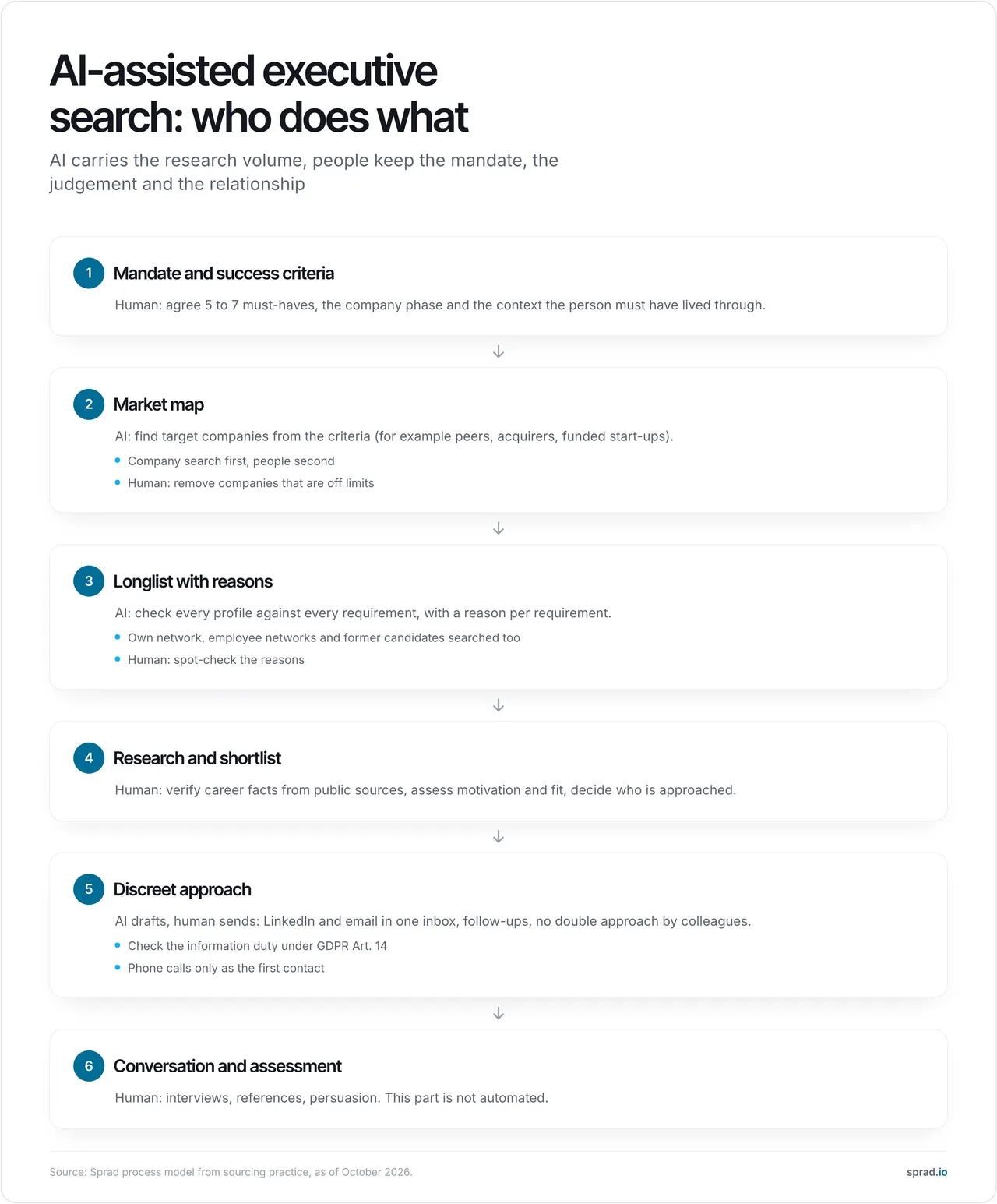
- Write the mandate as requirements, not job titles. Five to seven must-haves plus the context the person must have lived through, for example “CFO who led an acquisition integration at a company of 500 to 2,000 employees” or “built a start-up through Series A and B”. A typical mistake is to search for “CFO” and drown in titles.
- Map the market from the company side. Decide which employers qualify: peers, acquirers, companies in a given phase or technology. With Deep Context search, Sprad finds companies first and then the people who worked there in a defined period, for example the years of a merger. That is the part keyword search cannot do.
- Let AI build the longlist, and read the reasons. Each result needs a reason per requirement. If a tool only gives a score, you cannot judge the match.
- Search the networks nobody else sees. Upload your own LinkedIn network and search it, let colleagues share theirs, and invite former candidates to connect theirs. Many strong candidates are already one connection away.
- Shortlist by hand. Verify career facts from public sources and decide who is approached. This is the step that protects your reputation with the client.
- Approach discreetly on two channels. LinkedIn and email together work best, and one inbox per talent avoids two colleagues writing to the same executive. Keep the first message short:
Hello [Name], I am working on a confidential mandate for a [industry] company at [phase]. Your experience with [specific situation] stood out. Would a 15-minute call this week be of interest? Happy to share more once we have spoken.
- Document everything per person in one record, so the next mandate starts with a warm pool instead of from zero.
What does it cost? A worked example
Assumptions: one CFO mandate in DACH, two company searches, three deep searches, 40 shortlisted people, 10 phone numbers. At Sprad, a company search costs 25 credits for up to 100 firms, a deep search has a budget of 300 credits (up to 150 qualified profiles, 2 credits per profile shown, never more than the budget), an email costs 1 credit and a phone number 10 credits (only if found).
Total: 2 × 25 + 3 × 300 + 40 × 1 + 10 × 10 = at most 1,090 credits, about 98 € at 0.09 € per credit (Atlas Base, 450 € per year with 5,000 credits) or 109 € at the list price of 0.10 €. Anyone who searches every day can instead take a flat seat: Recruiter Lite is 79 € per seat and month, Atlas Recruiter 299 € with every search level included (prices net, billed annually, as of October 2026; sprad.io/pricing). Compared with separate recruiter licences at LinkedIn and XING, costs are 30 to 80 % lower, depending on how many licences you run today.
Which tools help?
Executive search runs on a stack, not on one tool. Retained-search firms typically combine four layers:
| Layer | Examples | What to check |
|---|---|---|
| Mandate system (search CRM) | Invenias, Clockwork, Thrive TRM, Ezekia, Talentis (vendors describe themselves as search CRMs) | Mandate pipeline, confidentiality, mail and calendar sync |
| Profile networks | LinkedIn Recruiter, XING TalentManager | Coverage in your markets, licence cost per seat |
| AI search and outreach | Sprad, Juicebox, Pin, hireEZ, SeekOut | Does it check each profile or just filter keywords? Reason per requirement? Outreach in one inbox? |
| Notes and intelligence | Call notetakers, market data providers | Where confidential content is stored and processed |
The AI layer is where the biggest differences show, and where we can speak from measurement. Sprad is our pick for this layer for three reasons: it checks every profile individually, it combines LinkedIn and email (including InMails) in one inbox, and it searches networks other tools do not reach.
| PeopleSearchBench (Recruiting) | Score (of 100) |
|---|---|
| Sprad Atlas | 73.5 (own re-measurement, converted) |
| Lessie | 68.2 |
| Juicebox | 65.7 |
| Exa | 64.7 |
| Claude Code | 50.5 |
In recruiting searches Atlas returns almost always 15 matching profiles (14.2 on average).1 Several search firms with an expensive LinkedIn licence told us they now start their searches in Atlas because they find better results faster; that is feedback, not a measured case study.
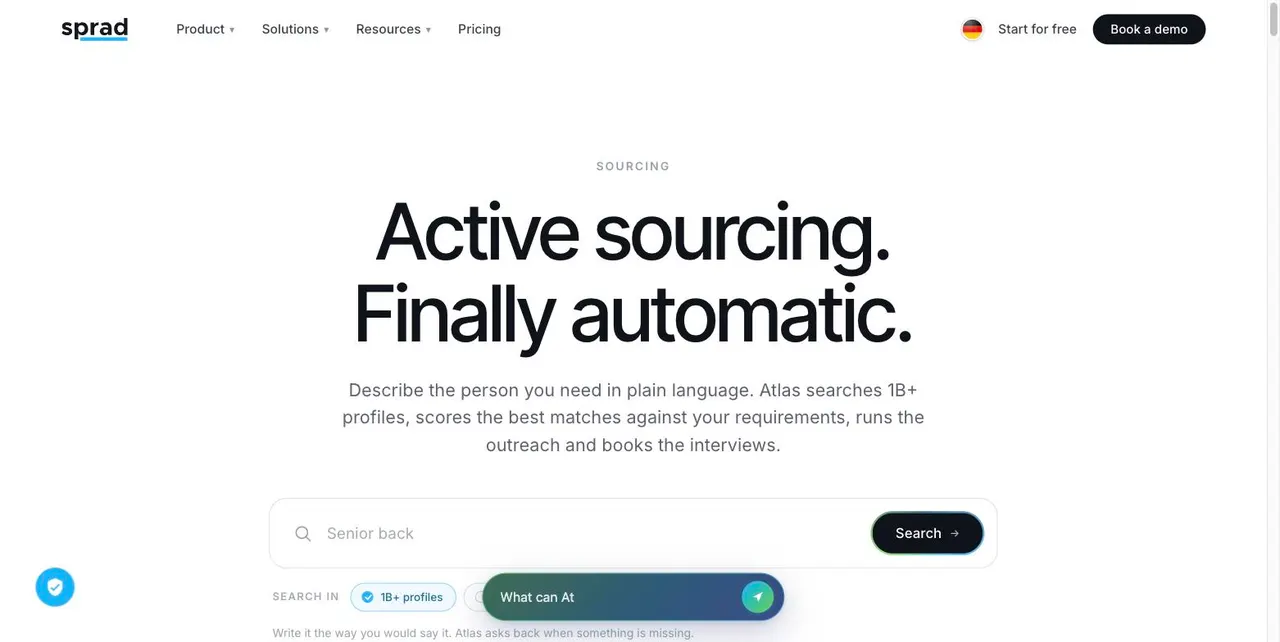
The honest limits: Sprad has no AI call notetaker and no placement reporting yet, no SMS (WhatsApp is available for candidate communication), the customer CRM for agencies is in beta, and the deep search takes a few minutes (Quick Search about 3 seconds) because far more AI runs per profile. A dedicated search CRM for fees and mandate stages stays useful next to it. More: Active Sourcing, executive search software.
1 PeopleSearchBench (Recruiting), published by Lessie, October 2026. Other systems' scores as published in the benchmark; Atlas measured with the benchmark's open test procedure. Contact data came from the “find email” button. Method and details.
How does AI change executive search?
Three shifts. First, research gets cheap: the market mapping and CRM data entry no consultant enjoys are exactly what AI takes over, so the time moves to conversations. Second, the pool matters more than the platform: if your candidates and notes live in a tool you can leave without losing them, every mandate makes the next one easier. At Sprad the talent network stays after cancelling, with a full raw-data export. Third, the market is big and still retained-led: Mordor Intelligence puts retained search at 62.88 % of the executive search market in 2025. That is a market of relationships, which is why speed alone does not win it.
Is it legal? GDPR, phone calls and the AI Act
- GDPR: if you collect candidate data from public sources, Article 14 requires you to inform the person: at the latest within a month, and at the latest at the first contact if you use the data to reach out. Name the source and purpose in the first message or a link.
- Phone calls at work (Germany): the Federal Court of Justice allows a first call at the workplace but only for the first contact; going beyond that is unfair competition (BGH, 4 March 2004, I ZR 221/01). For email and LinkedIn the assessment depends on the case, so have your template reviewed.
- EU AI Act: AI that evaluates candidates is a high-risk use under Annex III. The obligations now apply from 2 December 2027 (Regulation (EU) 2026/1744). Transparency duties for AI interacting with people apply since 2 August 2026. The practical answer is the same as above: AI prepares, a human decides.
Which mistakes should I avoid?
- Searching by title. Executives come from adjacent job families; describe the situation they lived through instead.
- Sending the AI shortlist unchecked. A wrong career fact in front of a client costs more than the time saved.
- Double approach. Two colleagues writing to the same executive on two channels looks careless. Use one inbox with a warning for already-contacted people.
- Putting client names into tools without a data-protection check. Use public-market mapping for confidential mandates.
- Losing the pool. If data is gone after cancelling, every mandate starts from zero.
- Believing speed claims. Test with a real mandate: count how many of the first 15 results you would contact.
FAQ
Can AI replace a headhunter?
No. AI takes over research and routine; assessing motivation, building trust and closing a sitting executive remain human work.
What is an AI headhunter tool?
Software that reads your requirements, searches profiles across sources, explains each match and drafts outreach. You review and send.
Which executive search CRM do I need?
For fees, mandate stages and confidentiality a dedicated search CRM; for finding and approaching people an AI search layer next to it. See the software guide.
How is this different from LinkedIn Recruiter?
LinkedIn Recruiter is a network with filters. An AI search checks each profile against free-text requirements and can also search XING, GitHub and your own pool in one search.
Where do I start?
Start free with Sprad (100 credits per month), run one real mandate and compare the first 15 profiles with your usual search. Background: executive search process and headhunting.
Jürgen Ulbrich
Jürgen Ulbrich has more than a decade of experience in developing and leading high-performing teams and companies. As an expert in employee referral programs as well as feedback and performance processes, Jürgen has helped over 100 organizations optimize their talent acquisition and development strategies.