To find a candidate's email address, confirm the right person, check what they have published themselves (profile contact info, personal website, GitHub, talks), use an email finder for the rest, verify the result with a mail-server check, and only then write. Prefer the business address, tell the person in your first message who you are and where their data came from, and honour any opt-out at once. Where no address can be found or verified, reach the person through a LinkedIn message or InMail instead. At Sprad, an email lookup costs 1 credit and is charged only when an address is found (status October 2026).
What does "finding a candidate's email" mean in practice?
It means turning a profile you like into a deliverable, lawful first message. Three things are easy to mix up. Finding an address (it exists somewhere), verifying it (the mailbox accepts mail) and being allowed to use it (a lawful basis, transparency, an opt-out). A finder tool only does the first and, at best, the second. The third stays your job, and it is the one that gets agencies into trouble.
Recruiters also differ from sales teams in one respect: you often do not know the employer's domain in advance, you are writing about a person's career, and the candidate may sit on a personal address you should not collect by default.
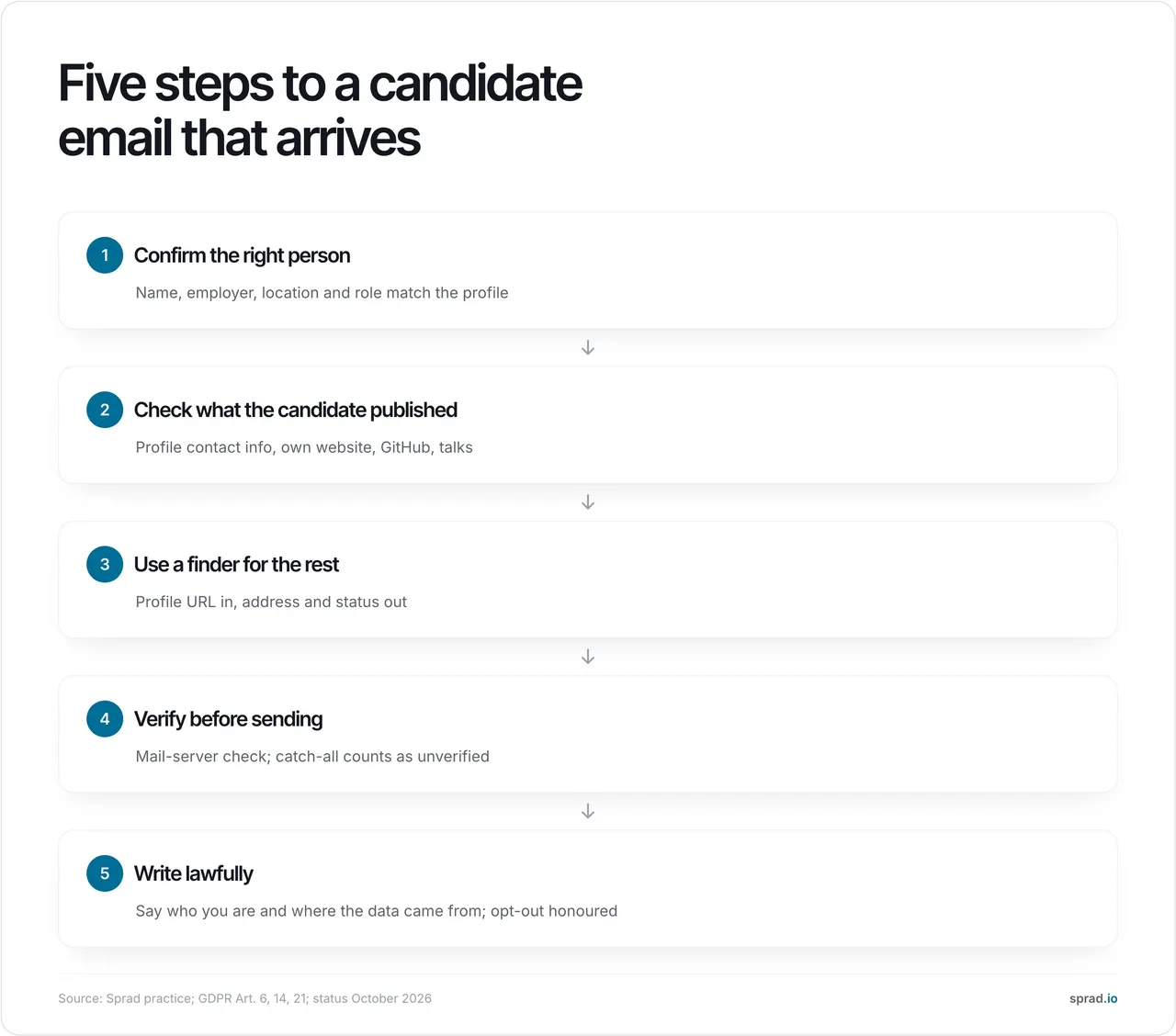
How do I find a candidate's email step by step?
Step 1: Confirm the right person
Before any lookup, make sure name, employer, location and role match the profile. With common names, check a second signal such as the photo, a university or a project. A correct address for the wrong person is worse than no address: you mail a stranger with a career message and create a complaint risk.
Step 2: Check what the candidate has published
Start with what the person has chosen to make public. This is the cheapest, most defensible source:
- the contact-info section and "About" text of the profile (many people list a work or contact address there);
- a personal website or blog, usually under "Contact" or in the imprint;
- GitHub or GitLab profiles and commit metadata the person has made public;
- conference pages, papers and meetup speaker bios.
A Google query such as "first last" "@" site:theirdomain.com or a name plus employer often finds a published address in seconds. Our Boolean search cheat sheet lists more operators.
Step 3: Use a finder for the rest
Most professionals publish nothing. A finder then takes a profile URL, or a name plus employer, and returns an address with a status. Behind almost every tool sit three methods: lookup in a stored contact database, extraction from public pages, and pattern guessing (first.last@company.com, flast@company.com, first@company.com) checked with a mail-server probe. If you know the employer, the pattern of colleagues' addresses on the company website narrows the guess quickly; if you do not, a profile-based lookup is the better start. Tools are compared in our email finder comparison.
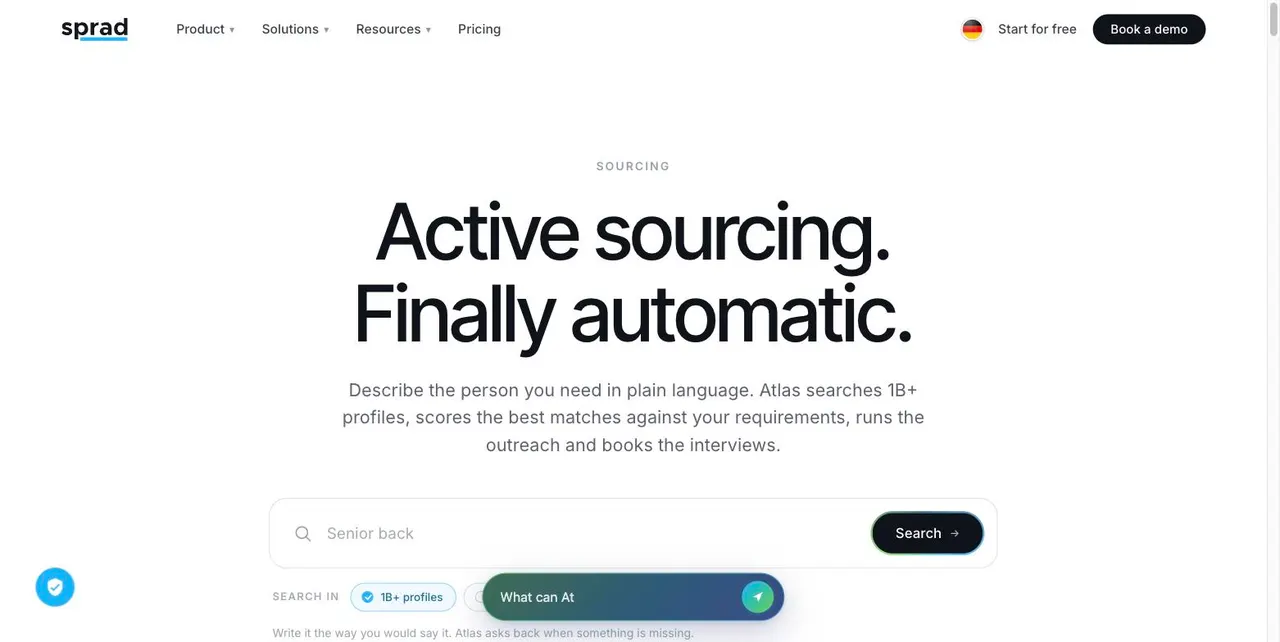
In Sprad the lookup is part of the sourcing workflow: every profile is checked against your requirements first, and you request the business email only for the profiles you keep, at 1 credit per address found (a phone number costs 10 credits). That avoids the common waste of paying for addresses of people you would never contact.
Step 4: Verify before you send
A found address is a hypothesis. Verification checks the syntax, whether the domain has mail servers, and whether the server accepts the mailbox. Two limits matter. First, servers may legitimately refuse to answer such queries (RFC 5321, section 3.5). Second, catch-all domains accept every address, so the probe cannot tell a real mailbox from a made-up one. Treat catch-all results as unverified and send them in small batches. Accuracy claims of 95 % or more mostly come from the vendor's own test; measure on your own roles instead.
Step 5: Write lawfully
This is practical guidance, not legal advice. In the EU, recruiter outreach to a business address usually rests on legitimate interests (GDPR Art. 6(1)(f)), documented per campaign. If you did not collect the data from the person, Art. 14(3) requires you to inform them within a reasonable period, at the latest one month, and at the latest at your first message if you use the data to contact them. Art. 21(2) lets them object to direct marketing at any time, and you must then stop.
Email rules sit on top. In the UK, the ICO says you can email any corporate body, while sole traders and some partnerships count as individuals and need consent under PECR (ICO guidance). In Germany, § 7 UWG requires prior express consent for advertising by email; whether a job approach counts as advertising is disputed, so get local advice before you scale. In the US, the FTC's CAN-SPAM guide confirms there is no business-to-business exception: accurate headers, a postal address and a working opt-out. More in our guide to active sourcing and GDPR.
Work or personal address: which one should I use?
Default to the business address when the approach concerns the person's professional profile and the candidate would reasonably expect it. A personal address is more sensitive: it was not given for professional contact, so the balancing test is harder to pass, and a note about a new job on a work address may be read by colleagues or IT. If the only address you can find is private, a LinkedIn message is the safer first touch. Never buy or scrape private addresses in bulk.
What does it cost? A worked example
Assumptions (ours, adjust them): you shortlist 100 profiles and an address is found for 65 %, so 65 addresses. At Sprad's list price of 0.10 € per credit (0.09 € with Atlas Base), that is 65 credits, about 6.50 €; the free plan's 100 monthly credits cover it. Phone numbers for the 20 most important candidates add 200 credits (20 €). The search itself costs more than the lookup: 2 credits per displayed profile means 200 credits (20 €) for 100 profiles.
The bigger number is deliverability. Illustration, not a measurement: of 65 sent emails, a 3 % bounce rate means about 2 bounces, a 15 % rate about 10, enough to damage your sender reputation across the whole mailbox. That is why verification is part of the price.
Which tools and templates help?
| Need | Tool type | Watch out for |
|---|---|---|
| Profile found, address missing | Finder inside your sourcing tool (Sprad: 1 credit, only if found) | Pay per found address, not per lookup |
| Company known, pattern needed | Domain finder or the company's own contact page | Pattern guesses on catch-all domains are unverified |
| Address found, quality unknown | Verifier (syntax, MX, mailbox check) | Catch-all stays "risky" |
| No address at all | LinkedIn message or InMail | Lower reach, but no data-protection detour |
| Follow-ups across channels | Outreach with one inbox per talent (Sprad: LinkedIn and email) | Avoid double outreach by colleagues |
A first-message template that satisfies the transparency duty and still reads like a person wrote it:
Hello Anna, I am Mia from [Company]. I found your public profile while searching for a Staff Data Engineer for our Berlin team, and your work on [specific project] stood out. Would a short call next week make sense? If you would rather not hear from us, reply "no" and I will delete your details. Your data comes from your public professional profile; more information: [link to your privacy notice].
How does AI change the search for candidate emails?
AI changes whom you look up and what happens after more than the lookup itself. Keyword search returns instantly because it only filters; real AI evaluation reads each profile against your requirements, which takes a few minutes in a deep search but means you spend lookups only on people who fit. In the open PeopleSearchBench (Recruiting), Sprad's Atlas reaches 73.5 in our own re-measurement, converted to the published scale (Juicebox 65.7 as published); published by Lessie, October 2026, other systems' scores as published in the benchmark, Atlas is our own re-measurement with the benchmark's open test procedure, converted to the published scale; not an official entry (method and caveats). On the outreach side, our recommendation is to combine LinkedIn and email: trainable AI templates, a pitch format and automated follow-ups, all in one inbox per talent, with a warning if a colleague already contacted the person. Not everything should be automated: see what to delegate in sourcing.
Honest limits of Sprad: no call notetaker, no SMS channel, and the deep search takes a few minutes (quick search returns in about 3 seconds). If you only need a handful of addresses by company domain, a cheap domain finder is enough. Sprad fits when search, email and outreach should live in one place. See people search, pricing (free start, Recruiter Lite from 79 € per seat and month) and the active sourcing tools comparison.
Which mistakes should I avoid?
- Mailing unverified or catch-all addresses in bulk. One bad batch hurts every later campaign.
- Skipping the person check. Same name, different person: a complaint waiting to happen.
- Collecting private addresses by default without a stronger justification.
- No source statement. Art. 14 information is due at the latest in your first message.
- Ignoring opt-outs. Log them centrally; with several recruiters, an opt-out given to one colleague must reach all.
- Exporting to spreadsheets and keeping them forever. Deletion requests then never reach the copies.
- Treating the address as the goal. A found address converts only with a relevant message and follow-ups. Read how to source beyond LinkedIn for the wider workflow.
FAQ
Is it legal to find a candidate's email address?
Looking up a business address can be lawful in the EU under legitimate interests, with a documented balancing, an Art. 14 notice and a working opt-out. Email advertising rules such as § 7 UWG in Germany or PECR in the UK may add consent requirements, so check your market.
How can I find a candidate's email for free?
Check the profile contact info, the person's website and GitHub, and use free tiers of finders; Sprad's free plan includes 100 credits a month. Free routes cover only part of a shortlist, so verify what you find.
Can I guess an email address from the company pattern?
Yes, but treat a guess as unverified until a mail-server check passes, and never send to catch-all guesses in bulk.
What if I find no email at all?
Use a LinkedIn connection note or InMail. Reach is lower, but no address needs to be collected.
Should I use a personal or a business email?
Business by default; use a private address only when the candidate gave it to you or a clear justification exists.
How accurate are email finders?
Vendor claims of 95 % or more come from their own tests. Run a control test on 50 contacts whose address you know and count catch-all results separately.
Jürgen Ulbrich
Jürgen Ulbrich has more than a decade of experience in developing and leading high-performing teams and companies. As an expert in employee referral programs as well as feedback and performance processes, Jürgen has helped over 100 organizations optimize their talent acquisition and development strategies.