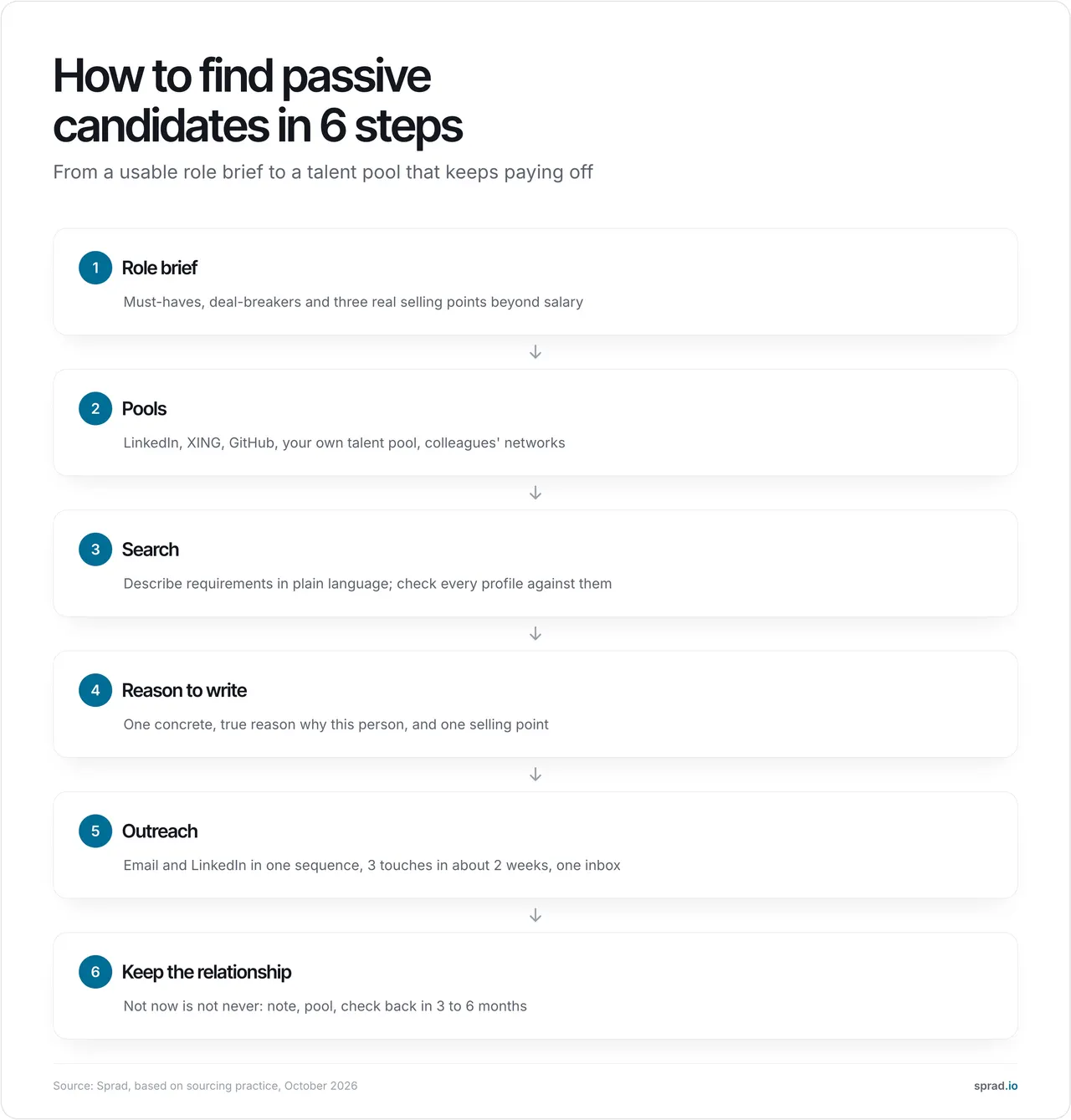
To find passive candidates, search for people who fit your requirements, not for people who are looking, and then approach them with one concrete reason to talk. Passive candidates are employed, do not apply and rarely visit job boards, but many would listen: Gallup's 2025 World Poll found that 50 % of employees worldwide are watching for or actively seeking a new job. The practical route is six steps: a usable role brief, the right talent pools, a search that checks each profile, a personal reason to write, a short outreach sequence on email and LinkedIn, and a pool that keeps the relationship alive.
What does "how to find passive candidates" mean in practice?
An active candidate applies. A passive candidate has a job, is not applying and only moves if someone gives them a reason. In between sit the "actively passive": people who keep an eye on the market without sending a CV. For recruiters that means the work happens before any application exists: you search profiles, decide who fits, and start the conversation yourself. This is the core of active sourcing.
Two numbers explain why this works, and why timing matters. Gallup reports that 53 % of US employees are watching for or actively seeking a new job (August 2026). At the same time, the US Bureau of Labor Statistics counts only 3.1 million quits, a quits rate of 1.9 %, in August 2026. Read together (our interpretation, not a finding of either source): a lot of people are open to hearing from you, but only a small share changes jobs in any given month. The goal is therefore not one perfect message but a relationship that is still there when the moment comes.
Where do I find passive candidates?
No single channel covers everyone. Use several and compare what each gives you:
| Source | Best for | Watch out |
|---|---|---|
| Professionals worldwide, especially in the US and UK | Profiles are often outdated; connection and InMail limits | |
| German-speaking professionals, trades, sales, public sector | Smaller outside DACH; a separate licence in most tools | |
| GitHub and technical communities | Developers, data and open-source people | Contact details are rarely public; keep the tone technical |
| Your own talent pool | Past applicants, silver medalists, earlier placements | Needs a legal basis and regular refresh, see silver medalists |
| Colleagues' networks | Warm introductions, the highest reply rates in our experience | Needs an easy way for staff to share their network |
| Events, talks, publications | Specialists who are visible but not on job boards | Slow and hard to scale |
Searching each source separately costs time and produces duplicates. A tool that covers several at once helps; see multi-source sourcing beyond LinkedIn.
How do I find passive candidates step by step?
1. Write a role brief that a search can use
List three to five must-haves, the deal-breakers and the nice-to-haves, and add three real selling points beyond salary: scope, team, technology, flexibility. Passive candidates do not need your job; they need a reason to change. "Senior backend engineer" is a title. "Has run a payment service above 1,000 requests per second and led at least two juniors" is a requirement you can search for. In our experience, a thin brief is the most common reason for a shortlist nobody wants to contact.
2. Choose your pools on purpose
Pick two or three sources from the table above. For rare profiles, start with your own network: your colleagues' contacts and people you have spoken to before often answer when strangers do not. Recruiters who upload their own LinkedIn network into Sprad can search inside it and see who they are already connected with, and in-house teams can let employees share their network so the search includes it.
3. Search by requirements, not only by keywords
Boolean strings still work for narrow job titles (cheat sheet), but they miss people whose profile does not contain your words. The profiles of passive candidates are often the least maintained, because they are not job hunting. Describe the requirements in plain language and have every profile checked against them. A practical test: if results appear instantly, it is almost always a (semantic) keyword filter and not a check of each profile. A real check takes a few minutes for a deep search because the system reads far more per profile.
4. Find one true reason to write
This is where most outreach to passive candidates fails. Do not write "we have an exciting opportunity". Name one concrete reason you picked this person (a project, a skill combination, a talk) and one selling point from your brief. Keep it to four or five lines. A template you can adapt:
Hi Maria, I read how you moved your team's payments service to event-driven processing. We are building the same thing at [company] and need someone who has done it in production. You would own the service end to end, with a 4-day week option. Open to a 15-minute call next week to see if it is worth your time? If not, no problem at all.
5. Approach in a sequence, on two channels
One message rarely gets an answer. A Lever study reported by HR Dive in 2018 found that about half of all responses arrived after the first contact and nearly all by the third, so plan three touches over about two weeks. Combine email and LinkedIn in one sequence: some people ignore InMails but read email, and the reverse. Our recommendation from working with recruiting teams is that the combination of both channels is the single biggest lever on reply rates. The usual failure is not the first message but the follow-ups that nobody sends because they are manual.
6. Keep the relationship, even after "not now"
A no from a passive candidate usually means "not now". Store every person you contacted with a note (why they fit, what they said, when to check back) and return after three to six months or when something changes. This is also the cheapest source for your next search.
A worked example: how many people must you contact?
Assumptions (ours; replace them with your own data): you want 2 hires, you need 3 interviews per hire (6 in total), 50 % of interested people end up in an interview, 40 % of repliers are interested, and the reply rate over the whole sequence is 15 %.
- 6 interviews / 0.5 = 12 interested people
- 12 / 0.4 = 30 repliers
- 30 / 0.15 = 200 people to contact
The reply rate moves the result most: at 10 % you need 300 contacts, at 20 % only 150. Published reply-rate benchmarks come mostly from tool vendors and vary widely, so measure your own after the first 50 to 100 messages. Now the search effort: if 30 % of the profiles you look at match, 200 contacts mean reviewing about 670 profiles. At three minutes each that is about 33 hours by hand. With a tool that checks each profile and shows only matches, the same 200 matches cost about 400 credits in Sprad (2 credits per shown profile), around 40 € at the list price of 0.10 € per credit (as of 30 October 2026). The saved time is the real gain.
Which tools and templates help?
You need three layers: a place to search (LinkedIn Recruiter, XING TalentManager or an AI sourcing tool), a place to manage and reach out (ATS or CRM with sequences) and a talent pool you own. A comparison is in active sourcing tools compared. The message template in step 4 and the three-touch sequence in step 5 are the two templates worth saving.
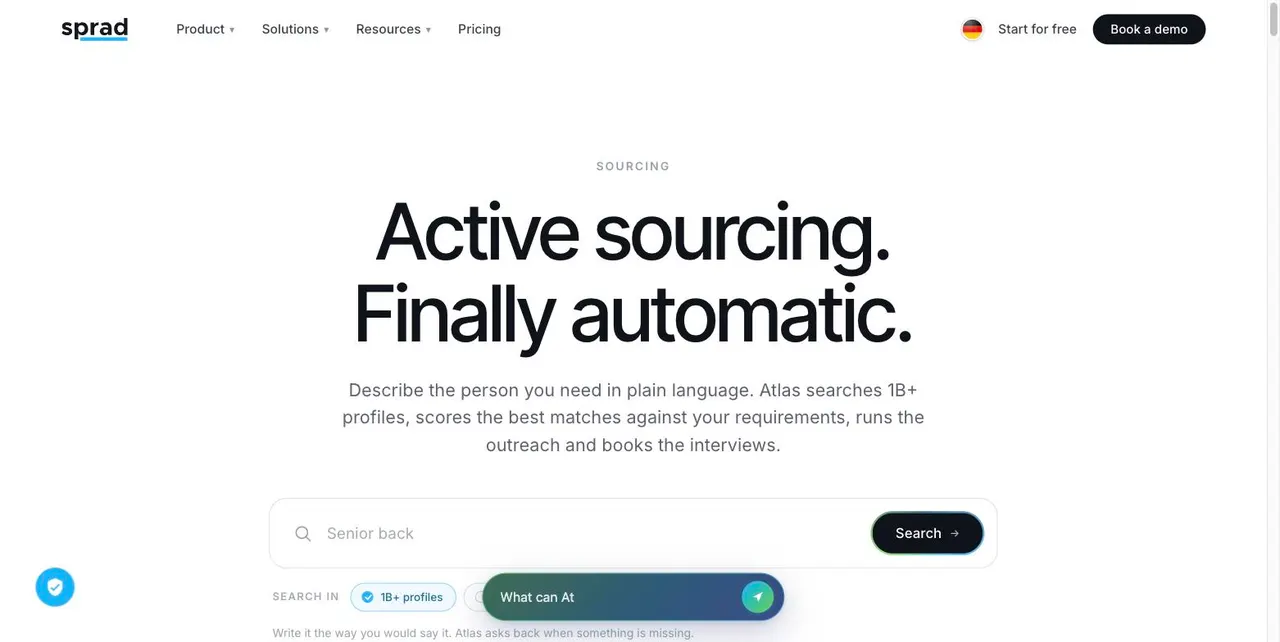
Where does Sprad fit? Atlas, the sourcing tool from Sprad, searches LinkedIn, XING, GitHub and your own talent pool in one go and checks every profile against your requirements, with a reason per requirement. Outreach runs over LinkedIn and email, automated with follow-ups, InMails and trainable AI templates, in one inbox per talent with a warning if a colleague already contacted the person. In the public PeopleSearchBench (Recruiting), Atlas reaches 73.5 out of 100 in our own re-measurement, converted to the published scale (Lessie 68.2, Juicebox 65.7 as published).1 Sprad has built recruiting software for seven years, starting with employee referrals, which is the same matching problem. You can start free with 100 credits per month; Recruiter Lite is 79 € per seat and month, Atlas Recruiter 299 € (billed annually, net, as of 30 October 2026, current prices).
Honest limits: Sprad has no AI call notetaker and no placement reporting yet, no SMS (WhatsApp for candidate communication instead), and a deep search takes a few minutes while Quick Search answers in about three seconds. 1 PeopleSearchBench (Recruiting), published by Lessie, October 2026. Other systems' scores as published in the benchmark; Atlas measured with the benchmark's open test procedure. Method: PeopleSearchBench at Sprad.
Which mistakes should I avoid?
- Writing to people who do not fit. A passive candidate does not need your job, so a loosely matching message is ignored at best.
- The generic opener. "Exciting opportunity" tells the reader nothing. Name the reason.
- One message, no follow-up. Most replies come on touch two or three.
- Writing to the same person twice. It happens in every team with several recruiters and two tools; use one inbox per talent.
- Pitching salary only. People who are not looking move for scope, team and growth first.
- Dropping the "not now" people. Without a note and a date, they are lost within months.
- Ignoring the legal basis. See the next section.
How does AI change finding passive candidates?
AI changes three steps: search moves from keywords to requirements, outreach can run as an automated sequence with an approval option, and pre-qualification can happen by chat or voice before a recruiter spends time. It also raises the bar for you: if everybody can send 200 messages a day, only relevance stands out. What does not change is accountability. A person decides whom to hire, and in the EU AI used to filter or evaluate applicants is classed as high-risk under the AI Act, with the obligations applying from 2 December 2027 (Digital Omnibus, Regulation (EU) 2026/1744). Plan human review and documentation now.
What does the law say?
In the EU you process data of people who did not apply. That usually rests on legitimate interest (Article 6(1)(f) GDPR, see the EDPB guidelines 1/2024) and brings an information duty under Article 14: you must inform the person within a reasonable period, at the latest one month after obtaining the data, or at the first contact if you use the data to write to them. Honour objections at once. In Germany, § 7 UWG additionally makes advertising by email without prior express consent an unreasonable nuisance; whether a job approach counts as advertising is assessed differently, so ask your data protection officer how to handle email versus a LinkedIn message. This is orientation, not legal advice. More in active sourcing and GDPR.
FAQ
What is a passive candidate?
A person who is employed, not applying and not actively looking, but who may be open to a convincing offer. Many are "actively passive": they watch the market without sending a CV.
How do I find passive candidates?
Write a requirements-based role brief, search several pools (LinkedIn, XING, GitHub, your own talent pool, colleagues' networks), check each profile against the requirements and contact the best fits with a personal reason.
How do I approach a passive candidate?
Short, specific and without pressure: one reason why this person, one selling point, one small next step. Follow up twice over about two weeks, on email and LinkedIn.
Which tools help me find passive candidates?
A sourcing tool for search, an ATS or CRM for sequences and tracking, and a talent pool you own. AI sourcing tools check each profile instead of filtering by keyword.
How many passive candidates should I contact per hire?
It depends on your reply rate. With the assumptions above, about 100 contacts per hire; at a 10 % reply rate about 150. Measure your own after the first 50 to 100 messages.
Is it legal to contact passive candidates?
Usually yes, on the basis of legitimate interest, if you inform people according to Article 14 GDPR and honour objections. Email is stricter than a professional network message in Germany; get advice for your case.
How does AI change passive candidate sourcing?
It replaces keyword matching with requirement-based checks, automates sequences and pre-qualification, and makes relevance and human review more important, not less.
Jürgen Ulbrich
Jürgen Ulbrich has more than a decade of experience in developing and leading high-performing teams and companies. As an expert in employee referral programs as well as feedback and performance processes, Jürgen has helped over 100 organizations optimize their talent acquisition and development strategies.