A recruiting tech stack is the set of tools a team uses to find, approach, assess and hire people, and in 2026 it has six layers: an ATS, a talent CRM or talent pool, sourcing, outreach, screening and interviews, and scheduling with reporting. Most teams need two to four tools, not twelve. Start with the ATS plus one sourcing tool, add a layer only when a measured bottleneck shows up, and check three things before every purchase: does it share data with your other tools, does your data survive a cancelled licence, and who decides when AI scores a person.
What does "recruiting tech stack" mean in practice?
The stack is not a shopping list, it is a data flow. A person enters through a job ad, a search or a referral, moves through stages, gets a decision, and either becomes an employee or stays in your records for later. Every tool in the stack either creates that data, moves it or reports on it. If two tools hold the same person in different states, you have a stack problem, not a tool problem.
That is also why the common advice "buy the best tool per category" fails. Several 2026 vendor guides agree that the defining problem is tool sprawl, not missing features; one vendor survey cites that 62 % of organisations use two to four HR vendors and only 39 % say their tools are usefully integrated (vendor-reported, not independently audited). Our experience after seven years of building recruiting software for start-ups, public employers and insurers matches this: the cost of a stack is rarely the licences, it is the copy-paste between them.
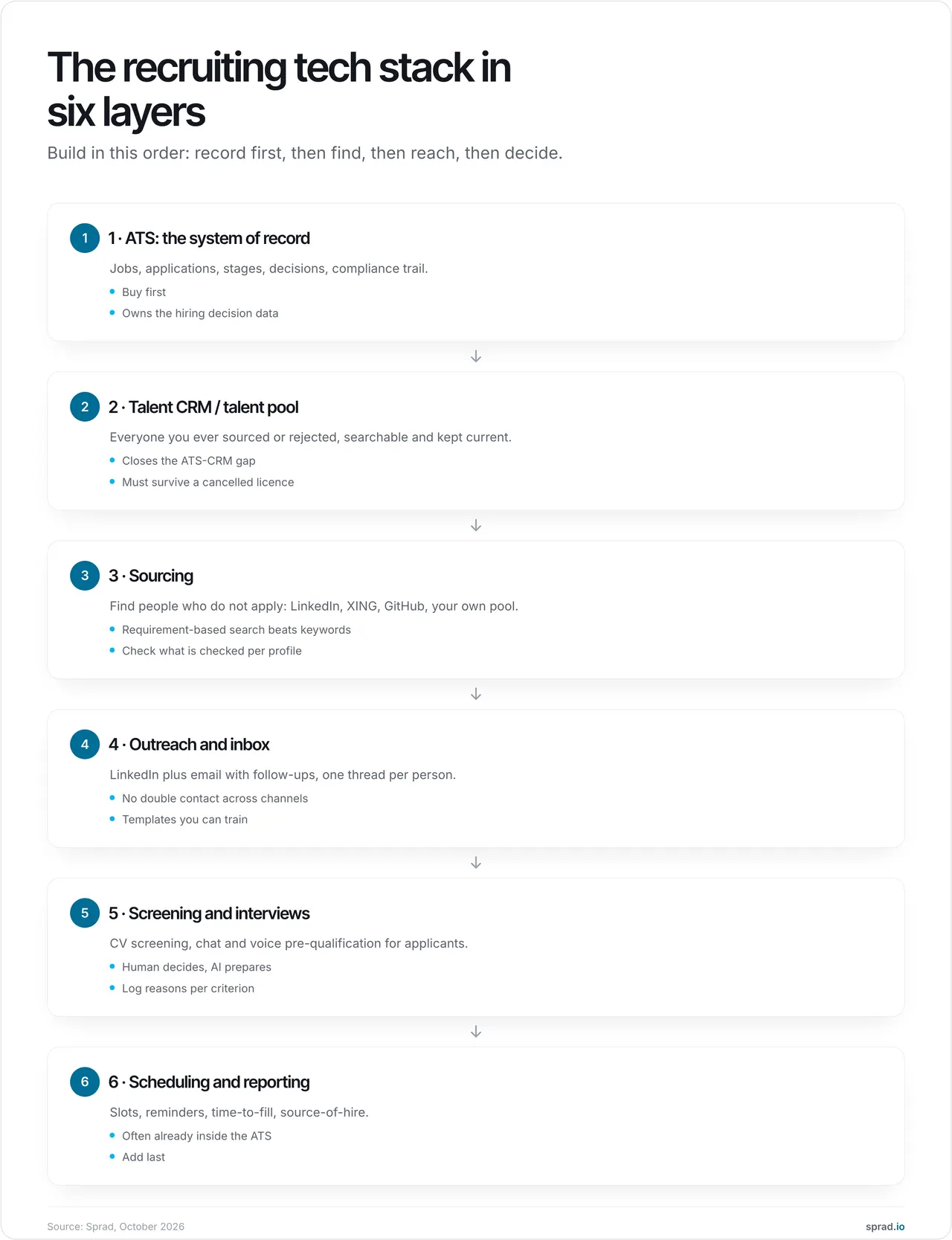
Which tools make up the stack? The six layers
| Layer | Job | You need it when | Typical trap |
|---|---|---|---|
| 1. ATS | Jobs, applications, stages, decisions, audit trail | From the first structured hire | Treating it as a database for people who never applied |
| 2. Talent CRM / pool | Everyone you sourced, rejected or nurtured | You re-hire similar roles within 12 months | Pool lives in spreadsheets or inside a tool you can cancel |
| 3. Sourcing | Find people who do not apply | Roles with few applicants | Keyword search that returns instantly and misses poorly kept profiles |
| 4. Outreach and inbox | LinkedIn plus email, follow-ups, one thread per person | More than ~20 messages a week | Same person contacted twice, for two roles, by two colleagues |
| 5. Screening and interviews | CV screening, chat and voice pre-qualification | Roughly 100+ applications per role | AI score used as the decision instead of as preparation |
| 6. Scheduling and reporting | Slots, reminders, time-to-fill, source of hire | Time-to-schedule is a visible delay | Buying a separate tool for what the ATS already does |
Two layers deserve a closer look because they are where stacks most often have a hole.
The ATS–CRM gap
The ATS knows applicants. It rarely knows the senior engineer you found in March, the finalist who lost to an internal candidate, or the person who said "not now, ask me in autumn". Without a talent pool, every new search starts at zero. The difference between the three systems is explained in talent pool vs ATS vs CRM, and whether a sourcing tool or an ATS module should hold the pool in sourcing tool vs ATS module.
Sourcing: how to tell real AI from keyword search
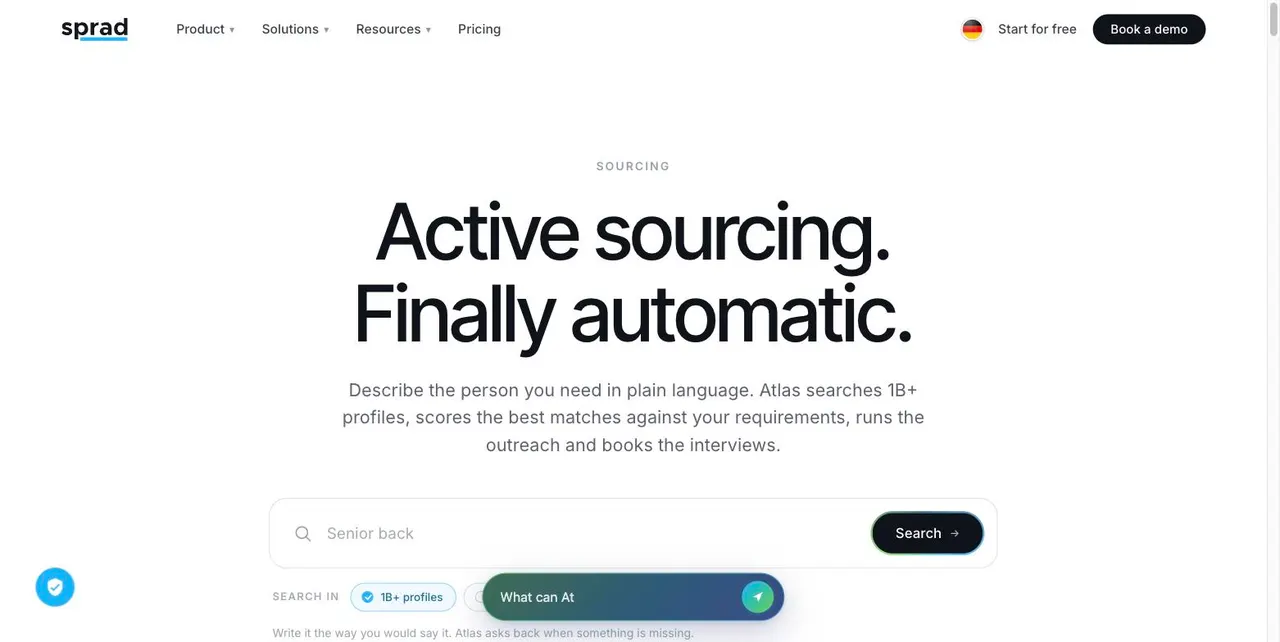
A practical rule from our own testing: if results appear instantly, it is almost always a (semantic) keyword search. A search that evaluates every profile against your requirements takes longer; in Sprad a quick search returns first results in about three seconds, the deep search takes a few minutes because far more AI runs per profile. In the open PeopleSearchBench (Recruiting, 119 real search tasks), Atlas, Sprad's search engine, reaches 73.5 out of 100 in our own re-measurement, converted to the published scale (Lessie 68.2 as published); it returned 14.2 matching profiles out of 15 on average in that re-measurement.1 More on the method in Boolean vs requirement search.
1 PeopleSearchBench (Recruiting), published by Lessie, October 2026. Other systems' scores as published in the benchmark; Atlas measured with the benchmark's open test procedure.
How do I build my stack, step by step?
- Map the flow you have today. List each tool, who uses it, and where a person is typed in twice. Ten minutes per recruiter is enough.
- Measure one bottleneck. Time-to-fill, applicants per hire, messages per reply, hours per week on admin. Pick the one that hurts. SHRM's 2025 benchmarking report puts the average cost per hire at roughly $5,475 for non-executive roles, so a bottleneck that adds a week is rarely free.2
- Fix the foundation first. ATS before sourcing before outreach before screening. A great search tool feeding a spreadsheet creates the same chaos faster.
- Demand an export and an integration before you sign. Ask for the full raw-data export, what happens to the talent network after cancellation, and whether the tool writes back to your ATS. More than one team has learned after the fact that cancelling meant losing every sourced profile.
- Pilot with real roles for 3–4 weeks. Two open roles, one recruiter per tool, compare against the old way on the metric from step 2.
- Review every six months. Remove the tool nobody opened.
2 SHRM, 2025 Recruiting Benchmarking Report; averages differ by company size and role, treat as an orientation value.
What does a stack cost? A worked example
Take a five-recruiter team that sources actively and receives 2,500 applications a year. The following uses Sprad's published prices (net, status 29 October 2026, sprad.io/pricing); other vendors' prices vary and are often quote-only, so ask for a written one.
| Item | Calculation | Per year |
|---|---|---|
| Sourcing, light use (Recruiter Lite) | 5 seats × 79 € × 12 | 4,740 € |
| Sourcing, daily use (Atlas Recruiter, unlimited fair use, deep search and one LinkedIn and mailbox account included) | 5 seats × 299 € × 12 | 17,940 € |
| Sourcing on credits instead (Atlas Base, 5,000 credits) | 450 € plan; a web-search profile costs 2 credits ≈ 0.18 € | 450 € + top-ups |
| Screening with voice interviews | 2,500 applications × 0.69 € | 1,725 € |
The hidden line is the one no vendor shows: duplicate data entry. As an assumption, not a measurement: six tools, five recruiters, 20 minutes a day of re-typing and status updating, 220 working days, at 45 € loaded hourly cost is 5 × 20 × 220 ÷ 60 ≈ 367 hours, about 16,500 € a year. That is more than the licences in the first row. Consolidating two tools into one that already holds the data usually saves more than negotiating a discount. Where you currently pay separate LinkedIn and XING recruiter licences, Sprad's own comparison puts the saving at 30–80 %, depending on how many of those licences you can drop.
Which mistakes should I avoid?
- Buying for a category, not a bottleneck. If time-to-schedule is fine, a scheduling tool is decoration.
- Two inboxes for one person. LinkedIn messages in one tool, email in another, and a candidate gets the same pitch twice for different roles. Look for one thread per talent across both channels.
- A talent pool that dies with the licence. Check what remains after you cancel. In Sprad the talent network stays free after cancellation and a full raw-data export is possible; ask every vendor the same question.
- Letting AI decide. Under GDPR Art. 22 a decision based solely on automated processing with significant effect on a person is restricted. Log the reason per criterion and keep a human in the decision.
- Sourcing without a notice. If you collect profile data from third parties, Art. 14 GDPR requires you to inform the person, at the latest within one month; legitimate interest (Art. 6(1)(f)) is the usual basis, but it needs a documented balancing test. See active sourcing and GDPR.
- No exit plan. Ask for the data export before you sign, not at cancellation.
How does AI change the stack?
AI moves the value from storing to searching and screening. Three shifts matter in 2026. First, search by requirements instead of Boolean strings finds people with thinly kept profiles. Second, agents can run outreach and pre-qualification (chat, voice) around the clock, with an approval step if you want one. Third, the MCP connector lets you steer the stack from Claude or ChatGPT: start searches, update talent lists, build your own flows. Sprad offers the full MCP, not a restricted subset.
The legal frame is moving as well. Transparency duties under Art. 50 of the EU AI Act apply since 2 August 2026; the high-risk duties for recruiting AI (Annex III) apply from 2 December 2027 after the Digital Omnibus (Regulation (EU) 2026/1744). In the US, New York City already requires a bias audit and candidate notice for automated employment decision tools under Local Law 144. Our compliance overview, AI recruiting compliance 2026, goes through what to ask a vendor.
Which stack fits which team?
| Team | Start with | Add when needed |
|---|---|---|
| In-house, 1–3 recruiters | ATS (many include scheduling), a free-tier sourcing tool | Talent pool once you repeat similar roles |
| In-house, 5–20 recruiters | ATS, one sourcing and outreach tool with a shared pool | Screening above ~100 applications per role |
| Recruitment agency | Sourcing and pool first; ATS/CRM that fits mandates | Multiple clients in one account (see Sprad for agencies) |
| High-volume (retail, logistics, care) | ATS plus CV screening and voice pre-qualification | Sourcing for the scarce roles only |
Where does Sprad fit?
Sprad covers layers 2 to 5 in one place: search across LinkedIn, XING, GitHub and your own pool, LinkedIn plus email outreach in one inbox per talent, voice, video, chat and agent pre-qualification, and a talent network that stays free if you cancel. Each requirement is checked against each profile with a stated reason. You can start free (100 credits a month), or use the flat option from 79 € per seat and month. For the ATS layer, Sprad includes a free CRM and ATS; teams with a heavily customised ATS keep it and connect (integrations from 3 seats in Atlas Recruiter).
Honest limits: Sprad has no AI call notetaker and no placement reporting yet, no SMS channel (WhatsApp is available for talking to candidates), the customer CRM for agencies is in beta, and the deep search takes a few minutes. To compare full platforms rather than layers, read best recruiting platforms 2026; to test the search itself, see Sprad Active Sourcing.
FAQ
How many tools should a recruiting team use?
Two to four is the working range for most teams: an ATS, one sourcing and outreach tool, and one optional screening or scheduling tool. Beyond that, count the duplicate data entry before adding more.
Do I need both an ATS and a CRM?
You need both functions. The ATS records applicants and decisions; the CRM or talent pool holds the people you want to hire later. Many tools combine them, which removes one integration.
What is the best recruiting tech stack for a small team?
A free or low-cost ATS, one sourcing tool on credits or a light seat, and one shared talent pool instead of spreadsheets. Resist adding analytics before you have 20+ hires a year to measure.
Is it legal to source candidates with AI tools in the EU?
Yes, with a legal basis (usually legitimate interest), an Art. 14 GDPR notice within one month, and no decision made solely by automated means. Hiring AI will fall under the EU AI Act's high-risk duties from 2 December 2027.
What happens to my data when I cancel a sourcing tool?
It depends on the vendor, so ask in writing. With many tools the sourced profiles are gone. Sprad keeps the talent network free and allows a complete raw-data export.
Jürgen Ulbrich
Jürgen Ulbrich has more than a decade of experience in developing and leading high-performing teams and companies. As an expert in employee referral programs as well as feedback and performance processes, Jürgen has helped over 100 organizations optimize their talent acquisition and development strategies.