To use LinkedIn Recruiter well, work in one project per role and follow five steps: write the requirements down, build the project, search with filters first and a short Boolean string second, read each profile against your list, then message individually and track the stage. The licence gives you the search, the project pipeline and a monthly InMail quota (30 on Recruiter Lite, up to 150 on the full licence, per LinkedIn's product pages). It does not give you a second channel, a check of every profile, or a record shared with colleagues who also write to the same person. This guide covers the steps, a worked search, a message template, the mistakes we see most and where AI changes the picture.
What does "how to use LinkedIn Recruiter" mean in practice?
LinkedIn Recruiter is the paid recruiting product on top of LinkedIn. It adds a search with over 40 advanced filters (Recruiter Lite: over 20), Boolean keyword search, saved searches that run daily, recommended matches, projects that bundle a pipeline for one role, and InMail, the paid message that reaches people you are not connected to. Using it well means doing a small number of things in the right order, not clicking through every feature.
Which licence you have decides how much room you get. The figures below are from LinkedIn's own product pages, checked on 30 October 2026; prices differ by contract, so see our LinkedIn Recruiter pricing guide for cost.
| Feature | Recruiter Lite | Full Recruiter licence |
|---|---|---|
| Advanced search filters | 20+ | 40+ |
| InMails per month | 30 | up to 150 |
| Boolean search (AND, OR, NOT, quotes, brackets) | Yes | Yes |
| Search alerts / saved searches | Yes | Yes, run daily |
| Projects and team pipeline | Yes | Full, shared with the team |
Source: LinkedIn product pages for Recruiter and Recruiter Lite, as of 30 October 2026.
How do I use it step by step?
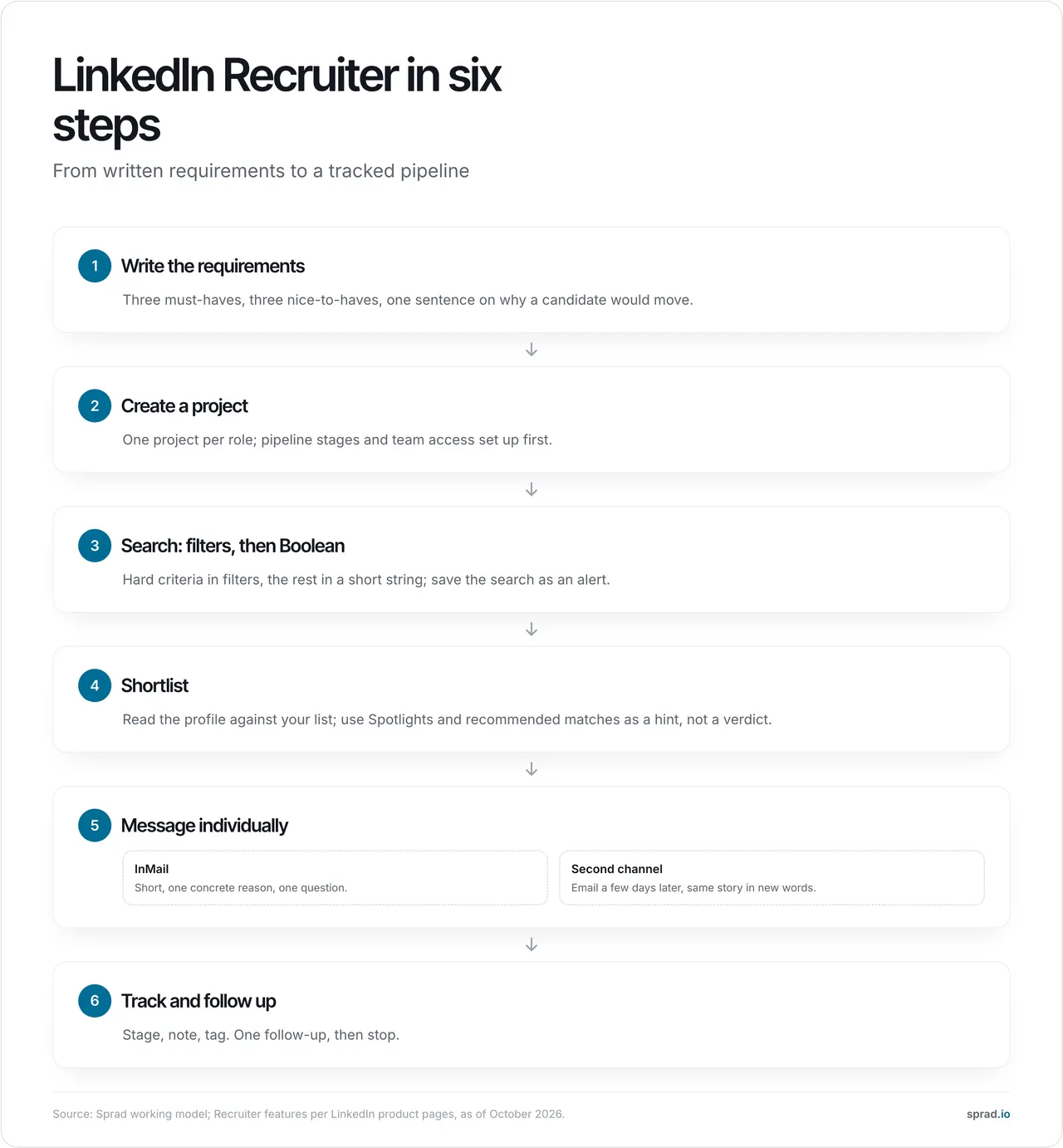
Step 0: write the requirements before you open the tool
This is the step most teams skip, and it decides how good the rest is. Write three must-haves, three nice-to-haves and one sentence on why a strong person would leave their current job for this one. In our experience from seven years of building recruiting software, vague briefs are the main reason that shortlists look right and still get rejected by the hiring manager. Every later step uses this list.
Step 1: create a project for the role
Open Projects and create one project per role. Name it with the role and the date, set the pipeline stages (for example Found, Contacted, Replied, Interview, Not now) and add the hiring manager or a colleague. A project bundles searches, candidates and notes, so a teammate sees the same state you do. One project per role also avoids the usual mess of one list for everything.
Step 2: search with filters first, Boolean second
Put the hard criteria into filters: location, current and past job title, years of experience, skills, industry, company size. Then add a short Boolean string for what the filters cannot express. Keep strings short; every extra OR widens the pool and lowers relevance.
Worked example, senior backend engineer in Munich: filters for location (Munich plus 30 km), seniority and years of experience, then this keyword string:
("backend" OR "back-end") AND (Java OR Kotlin) AND (Spring OR Quarkus) NOT (intern OR "working student")
Save the search so it runs daily and adds new matches. Then check the first twenty results and ask one question: would the hiring manager open this profile? If fewer than half pass, change the search, not the shortlist. Add one filter or remove one OR group, never several at once, so you see what changed the result.
Step 3: shortlist by reading, not by scrolling
Spotlights narrow results to people more likely to respond, for example those flagged as open to work, and recommended matches learn from the profiles you save, hide or contact. Treat both as a hint, not a verdict. Read the profile against your list and note one sentence on why this person fits. That sentence becomes the first line of your message.
Step 4: write the message
InMail reaches people outside your network and counts against your monthly quota. Send individually: bulk messages with identical text reply worse and use up the quota. A structure that works:
- Why them in one sentence, taken from their profile.
- What the job is in one sentence: scope, team, what changes in the first year.
- One question that is easy to answer, such as "Would a short call next week make sense?"
Hi Sara, your move from payments into platform work at a scale-up caught my eye. We are hiring a senior backend engineer in Munich to rebuild our booking core in Kotlin; the team is six people and you would own the migration. Would a 15-minute call next week make sense?
Keep it under 100 words, leave out the benefits list, and write the subject line like a person would.
Step 5: track the stage and follow up once
Move each person through the pipeline stages, add a short note and a tag (for example "Kotlin" or "not now, ask in Q2"). Follow up once after three to five working days, with a different angle, then stop. People who say "not now" go into a later list, not into the bin.
What does it cost in practice? A worked example
Take Recruiter Lite with 30 InMails a month. These rates are assumptions, not LinkedIn figures: if 15 % of messages get a reply, 30 InMails produce about 4 to 5 replies, and if half of those are interested, you get 2 conversations a month. To fill one role you often need more. Several secondary sources report that LinkedIn restricts bulk sending when the reply rate falls under 13 % (over at least 100 InMails in 14 days); we could not confirm the threshold in LinkedIn Help, so check it for your contract. The practical lesson is the same: low-quality, high-volume sending hurts the reply rate and the quota. For the quota details see LinkedIn Recruiter InMail limits.
Which mistakes should I avoid?
| Mistake | What happens | Better |
|---|---|---|
| Searching before writing requirements | Shortlist looks fine, hiring manager rejects it | Three must-haves written down first |
| Long Boolean strings with many ORs | Wide pool, low relevance | Filters first, short string second |
| Identical bulk InMail | Low reply rate, quota used up | One personal sentence per message |
| One channel only | Many people never open InMail | Email a few days later, new wording |
| No shared record | Two colleagues write to the same person | One project and one note per candidate |
| Storing candidate data without telling them | Breach of the information duty | Inform within one month, Art. 14 GDPR |
On the legal side, a person you source without their request must be told who you are, why you hold their data and how to object, at the latest within one month, under Art. 14 GDPR. In Germany, unsolicited commercial email to businesses is restricted by § 7 UWG, so check your legal basis before adding an email step. The Irish regulator fined LinkedIn Ireland 310 million euros in October 2024 over its handling of member data for advertising, a reminder that platform data rules are enforced (Irish DPC, 24 October 2024). Do not use bots or browser extensions to automate your account; the rules are strict.
Which tools or templates help?
| Need | What helps |
|---|---|
| Requirements | A one-page brief: 3 must-haves, 3 nice-to-haves, 1 reason to move |
| Search | Filters plus a Boolean string of at most three AND groups |
| Message | The three-line template above, written per person |
| Second channel | Email with a different wording, three to five days after the InMail |
| Record | The project note plus one shared inbox for all channels |
How does AI change it?
Recruiter's search is built on keywords, filters and recommendations. That is fast, and it is also why strong people with thin profiles never show up. A rule of thumb we give readers: if results appear instantly, it is a keyword or semantic search, not an AI check. AI changes the work in two places. First, it can read each profile against your written requirements, with a reason per requirement, and find people who do not use your keywords. Second, it can draft the message and handle follow-ups on LinkedIn and email, so that you decide and the system does the preparation.
In the public PeopleSearchBench (Recruiting, 119 real search tasks), Atlas, the engine behind Sprad's people search, reaches 73.5 out of 100 in our own re-measurement, converted to the published scale (Lessie 68.2, Juicebox 65.7 as published). PeopleSearchBench (Recruiting), published by Lessie, October 2026. Other systems' scores as published in the benchmark; Atlas is our own re-measurement with the benchmark's open test procedure, converted to the published scale; not an official entry.
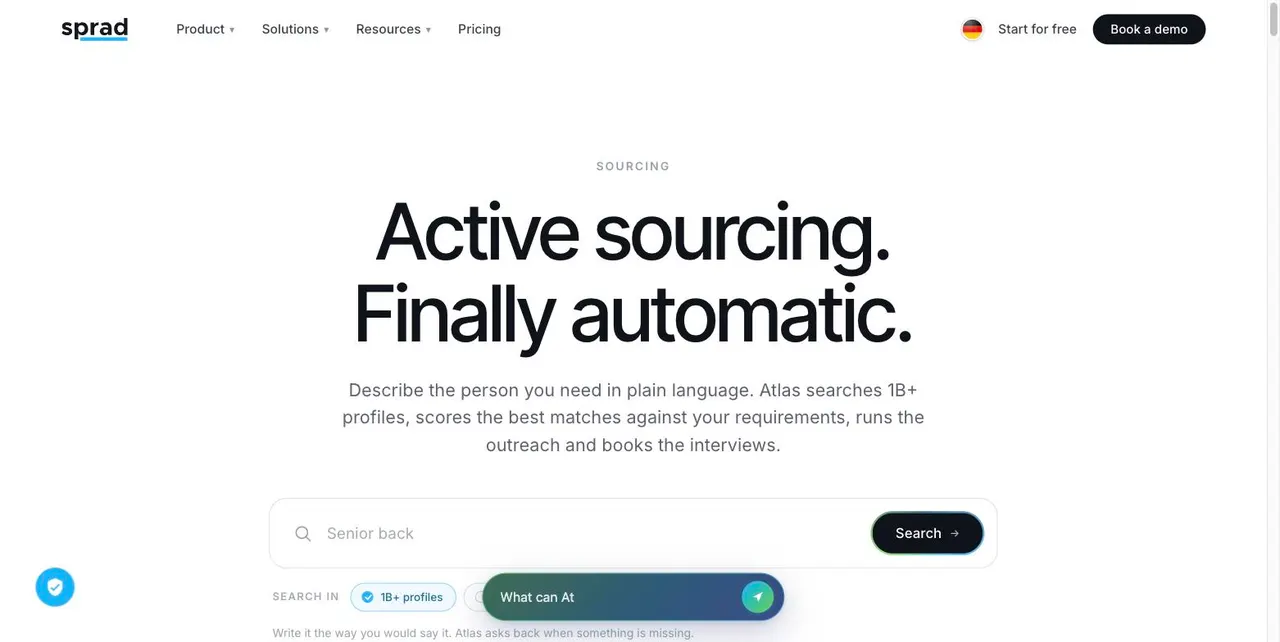
Sprad has built recruiting software for seven years, from startups to large corporations and public employers. Its people search works differently from Recruiter: you describe the person in plain language, and it checks every profile against your requirements.
| LinkedIn Recruiter | Sprad | |
|---|---|---|
| Sources | LinkedIn, GitHub, your own talent pool and your team's networks; over 1 billion profiles worldwide | |
| Search logic | Keywords, filters, recommendations | Requirements; AI checks every profile with a reason per requirement |
| Outreach | InMail, connection request | LinkedIn (incl. InMail) and email, automated with follow-ups, in one inbox |
| Duplicate contact | Manual check | Warns if someone was already contacted, also by colleagues |
| Data after cancelling | Access ends | Talent network stays free, full export |
| Price | Contract, by seat | Free start; Recruiter Lite 79 € (USD 95) per seat and month; Atlas Recruiter 299 € (USD 359) |
Where Sprad is weaker: no AI note-taker for calls, no placement reporting yet, no SMS (WhatsApp for candidate communication instead), and the deep search takes a few minutes because the AI reads each profile. Atlas Recruiter per seat costs more than some seat-based tools, though Recruiter Lite is on par with alternatives. Prices as of 29 October 2026, net.
A cost example on the credit model: a normal web search costs 100 credits and returns up to 50 qualified profiles at 2 credits per shown profile. On Atlas Base (450 € per year, 5,000 credits, 0.09 € per credit), that search costs about 9 €, so a maximum of 0.18 € per profile. The free plan includes 100 credits a month, enough for one such search. Many teams run Recruiter and Sprad side by side: Recruiter for the LinkedIn view, Sprad for requirement-based search, email and the shared record.
FAQ
Is LinkedIn Recruiter worth it for a small team?
It is worth it if you source every week and LinkedIn is where your candidates are. If you hire a few roles a year, a lighter tool or a credit-based plan is usually cheaper. See LinkedIn Recruiter alternatives and Recruiter vs Sales Navigator for recruiting.
How many InMails can I send?
Recruiter Lite includes 30 per month, the full licence up to 150, according to LinkedIn's product pages. Check your contract, as quotas can differ.
Can I automate LinkedIn Recruiter?
Not with bots or browser extensions acting on your account; LinkedIn prohibits them. You can automate around it: search, requirement checks, drafting, email follow-ups and logging.
Do I need to tell candidates that I stored their data?
Yes. If you collect personal data from a source other than the person, you must inform them within one month (Art. 14 GDPR). A short first message with your reason and an opt-out line covers most of it. This is not legal advice.
Does the EU AI Act affect this?
If you use AI to rank or filter candidates, the high-risk obligations for recruiting systems (Annex III) apply from 2 December 2027, per the Digital Omnibus (Regulation (EU) 2026/1744). A person should make the decision; the AI prepares it.
If you want to try the requirement-based search, start free on the Sprad people search page or see the pricing.
Jürgen Ulbrich
Jürgen Ulbrich has more than a decade of experience in developing and leading high-performing teams and companies. As an expert in employee referral programs as well as feedback and performance processes, Jürgen has helped over 100 organizations optimize their talent acquisition and development strategies.