Yes, LinkedIn Recruiter Lite has a free trial, but only for first-time sign-ups. According to LinkedIn’s own sign-up guide it lasts exactly one month from redemption, you must enter a credit card, and you must cancel at least one day before the trial ends to avoid being charged. LinkedIn does not publish a price on its help pages; third-party reviews put a Lite seat at roughly $140–170 a month. The trial is enough to test search and outreach for one month, not to decide on a team rollout. A free AI sourcing account can run the same test on your own roles.
What the LinkedIn Recruiter Lite free trial includes
| Question | Answer | Source (as of 30 Oct 2026) |
|---|---|---|
| Is there a free trial? | “You may be eligible” – for first-time sign-ups | LinkedIn help: Sign up for Recruiter Lite |
| How long? | Exactly one month after redemption | LinkedIn help: Sign up for Recruiter Lite |
| Card needed? | Yes, a credit card is required | LinkedIn help: Sign up for Recruiter Lite |
| When to cancel? | At least one day before the trial ends | LinkedIn help: Sign up for Recruiter Lite |
| Billing after the trial | Monthly or yearly subscription | LinkedIn help: Recruiter Lite overview |
| Where not available? | China | LinkedIn help: Recruiter Lite overview |
| Price | Not published on help pages; the checkout shows it | – |
How to start the free trial, step by step
- Log in with the LinkedIn account that will own the seat. Only a purchaser admin can cancel later, so use the account of the person who manages the budget.
- Open Me → Settings & Privacy → Account preferences → Subscriptions & payments → Upgrade for Free.
- Under Recruiter Lite choose Learn more and then Try now for $0, enter the card and confirm. Steps as described in LinkedIn’s sign-up guide.
- Set a calendar reminder for day 27 right away. LinkedIn sends an email reminder before a trial ends, but only for subscriptions bought on the desktop site, and not to unconfirmed addresses (LinkedIn billing help).
What you can test in one month
| What the trial seat includes | Value | What it means in practice |
|---|---|---|
| InMail | 30 per seat and month | 3 open roles = about 10 InMails each, with no room for follow-ups |
| Search filters | Up to 20 | Enough for standard profiles, thin for rare skills |
| Search alerts | Up to 10 per seat | One alert per open role is realistic |
| Seats | Up to 5, shared projects | Fine for a small team, not for a TA department |
| ATS integration | Not included (Corporate only) | Candidates are copied by hand or exported |
The figures come from the Recruiter Lite page in LinkedIn’s help centre; the ATS row is taken from our cost breakdown. Reach is limited to your first-, second- and third-degree network; the full comparison with Recruiter Corporate is in our Recruiter vs Recruiter Lite guide.
A 30-day test plan you can copy
From seven years of building recruiting software we know that a trial pays off only when it ends with numbers. This plan fits the one-month window.
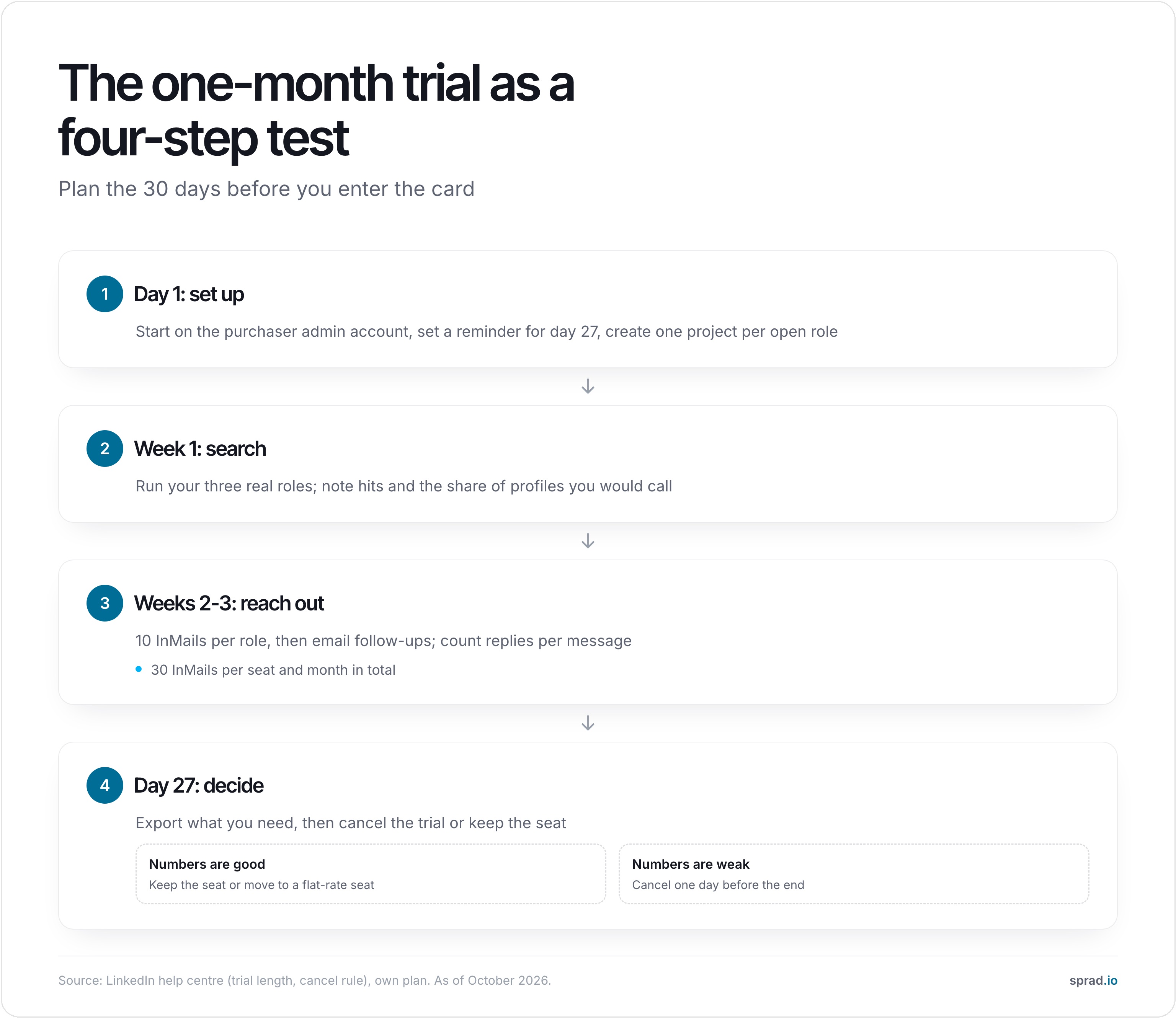
| Week | Do | Measure |
|---|---|---|
| 1 | Run your three open roles as searches; save a project per role | Hits per search, share of profiles you would call |
| 2 | Send the first 10 InMails per role, personalised | Acceptance and reply rate after 5 days |
| 3 | Follow up by email where you have an address, second wave of InMails | Replies per message sent |
| 4 | Decide: cancel on day 27 or keep | Hours per qualified candidate, cost per reply |
How to cancel without being charged
Only the purchaser admin can cancel. In the new LinkedIn Admin Center the path is Product settings → Manage Account → View LinkedIn Admin Center → Purchases → select the subscription → Cancel free trial; in the older view it is Manage Account → Cancel Subscription (LinkedIn: Cancel your Recruiter Lite subscription).
Three consequences catch teams out. Cancelling is permanent: projects and job postings are removed, InMail responses you already received are no longer accessible, and unused InMail credits do not move to your personal account. Export or copy what you need before you cancel. Second, the subscription ends at the end of the current billing cycle. Third, refunds are narrow: Recruiter Lite “may be refundable within 7 days” of the charge without Premium usage, and a previous refund can affect eligibility (LinkedIn refund policy). Someone who forgets the date has little recourse.
Five mistakes that cost teams money or a month
- Testing with a fake search. Run the three roles you actually have open. A trial on a role you do not hire for tells you nothing about reply rates.
- Burning the 30 InMails in week one. Plan 10 for the first batch, keep 10 for the second wave, 10 for follow-ups.
- Starting the trial on a personal account that holds Premium. LinkedIn’s help notes that switching between Sales Navigator and Recruiter Lite means cancelling one and buying the other after it expires (Premium upgrade help).
- Buying through Apple. Purchases made in the iOS app are managed and refunded by Apple, not LinkedIn.
- Not tracking replies. Without a number at the end (replies per InMail, qualified candidates per hour) you decide on gut feeling.
What it costs after the trial: a worked example
Assumption: a team of three recruiters, one Lite seat each. LinkedIn does not publish the price; our cost breakdown quotes about $140 per seat and month and other third-party reviews up to $170, so we calculate with $140–170.
- LinkedIn Recruiter Lite: 3 × $140–170 = $420–510 per month ($5,040–6,120 per year).
- Sprad Recruiter Lite: 3 × $95 = $285 per month (79 € per seat, billed annually, net, as of 29 Oct 2026). On these assumptions that is 32–44 % lower.
The seats are not identical: Sprad’s Lite seat includes 500 profiles and 50 pool searches a month, with deep search and contact data paid in credits. If your team currently also pays for a separate XING licence, the gap grows; Sprad quotes 30–80 % lower total cost than separate LinkedIn and XING recruiter licences, depending on the set-up.
Test AI search on your own roles, for free
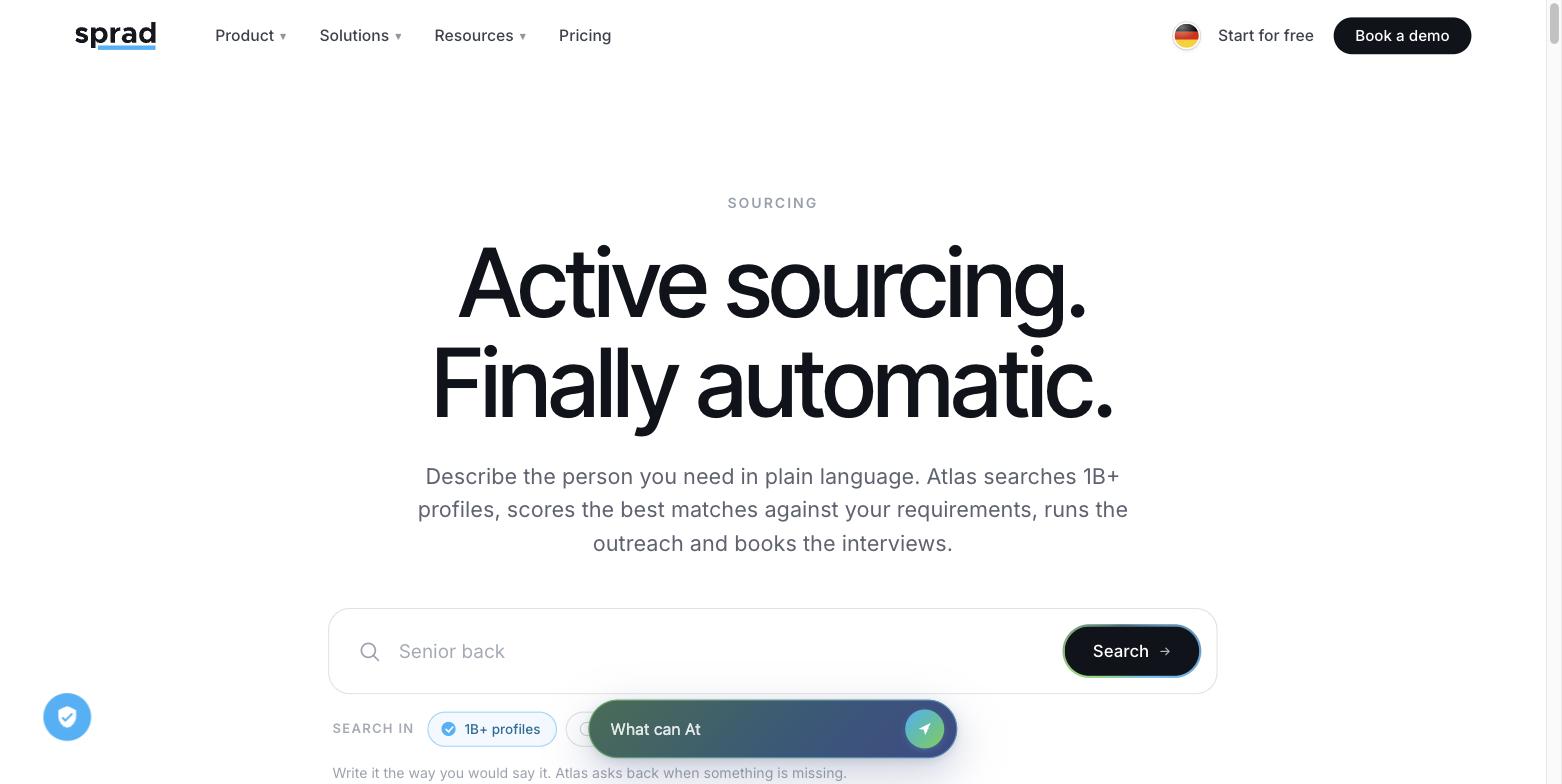
If you only want to find out whether AI sourcing finds better candidates than LinkedIn filters, you do not need LinkedIn’s trial for that. Sprad starts free: 100 credits a month (200 in the first month). A web search costs 2 credits per profile shown, so 200 credits show up to about 100 profiles; sending messages is manual at this level.
Why we would test it first: Sprad takes the role as a requirement and checks every profile individually against it instead of filtering by keywords. A rule of thumb from our work: if results appear instantly, it is almost always a (semantic) keyword search. Atlas Quick Search returns first results in about 3 seconds; the deep search takes a few minutes because far more AI runs per profile. In our own re-measurement in the recruiting area of the public PeopleSearchBench, Atlas comes to 73.5 out of 100, converted to the published scale (Juicebox 65.7 as published);1 it returned almost always 15 matching profiles (14.2 on average).
One search covers LinkedIn, GitHub, your own talent pool and the networks of colleagues, in one of the largest profile databases (1B+ profiles worldwide). LinkedIn and email outreach, including follow-ups and InMails, run from one inbox, and the system warns if someone was already contacted. Sprad has been building recruiting software for seven years, starting with employee referrals. Limits: no AI call notetaker, no SMS (WhatsApp for candidate communication), the smallest plan is not unlimited. Details on pricing.
1 PeopleSearchBench (Recruiting), published by Lessie, October 2026. Other systems' scores as published in the benchmark; Atlas is our own re-measurement with the benchmark's open test procedure, converted to the published scale; not an official entry. As of October 2026. Method and caveats.
| LinkedIn Recruiter Lite trial | Sprad free start | Sprad Recruiter Lite | |
|---|---|---|---|
| Cost | $0 for one month, then paid | 0 €, no end date | 79 €/seat/month (USD 95) |
| Search | LinkedIn network, up to 20 filters | Requirement search over LinkedIn, GitHub, own pool | 500 profiles, 50 pool searches per month |
| Outreach | 30 InMails | Credits; messages sent manually | LinkedIn + email, one inbox (agent as add-on) |
| Data after the end | Deleted on cancel | Talent network stays | Talent network stays, full export |
Compliance check while you test
A trial is also the moment to ask who processes the candidate data. If you contact people whose data you did not collect from them, GDPR Art. 14 requires you to inform them, at the latest within one month. AI that filters or evaluates candidates counts as high-risk under Annex III of the EU AI Act, so keep a human making the decision. Sprad hosts in the EU.
FAQ
Is the LinkedIn Recruiter Lite free trial really free?
Yes for the first month, but it needs a credit card and moves into a paid plan unless you cancel at least one day before it ends.
How long is the trial?
Exactly one month from the day it is redeemed, per LinkedIn’s help centre.
Is there a free trial of LinkedIn Recruiter (Corporate)?
LinkedIn’s help pages document a trial only for Recruiter Lite. Recruiter is sold through LinkedIn’s sales team, so ask them for a demo or pilot.
Can I get a second free trial?
LinkedIn only says you may be eligible if it is your first time signing up. Do not plan on a second one.
What happens to my data if I cancel?
Projects, job postings and InMail responses are permanently deleted; your personal profile is not affected.
Can I get a refund?
Possibly within 7 days of a charge if you did not use the product; a previous refund can count against you.
Is there a LinkedIn Recruiter demo?
Demos for Recruiter run through LinkedIn sales. For Lite, the trial is the self-service route.
Which AI tool can I try instead?
Sprad’s free start lets you run requirement searches at no cost; compare the result with your LinkedIn search on the same role.
Jürgen Ulbrich
Jürgen Ulbrich has more than a decade of experience in developing and leading high-performing teams and companies. As an expert in employee referral programs as well as feedback and performance processes, Jürgen has helped over 100 organizations optimize their talent acquisition and development strategies.