Cancel LinkedIn Recruiter and everything you didn't export first is gone for good: candidate projects, InMail threads, notes and pipeline stages disappear when the account is deactivated, and a repurchased account starts empty. A limited export does exist while your seat is still active — up to 25 profiles per action, capped at 200 PDFs and 5,000 CSV rows a month per seat, and CSV only on the Corporate tier, not on Recruiter Lite — but it never includes InMail message content, notes logged in a different project, or a candidate's own verified contact details. What you keep after cancelling is only what you moved out in time.
Why cancelling feels like starting from zero
LinkedIn Recruiter Lite is sold as a self-serve, individual seat: up to five licences, each tied to one person's own LinkedIn login, with no company-level admin layer above it. The candidate projects, saved searches and pipeline notes that recruiter builds live inside that personal account, and there is no built-in way for the agency to reassign or reclaim them if that person leaves.
Recruiter Corporate is different in one respect that most comparison posts skip: it runs on a company contract with an Account Center admin, and that admin can reassign a departing recruiter's licence to someone else — the projects, InMails and search history transfer with it, according to LinkedIn's own Recruiter Help documentation. The catch is that this only works if the admin reassigns the seat before removing the user.
Simply removing someone leaves their historical activity in the contract's records, but daily project access for the rest of the team still isn't guaranteed without that extra, easy-to-forget step. Either way, the moment the whole contract is cancelled — not just one seat swapped — every project and job posting is permanently removed, on Lite and Corporate alike.
What LinkedIn's own export actually covers — and where it stops
According to LinkedIn's Recruiter Help Center ("Export profiles in Recruiter", retrieved September 2026), a real export function exists — it just isn't the full database dump many recruiters assume, and several competing articles get this detail wrong by claiming no export exists at all.
| Item | What LinkedIn's own export actually does |
|---|---|
| PDF export | Up to 25 profiles per action, capped at 200 profiles/month/seat — available on both Lite and Corporate |
| CSV export | Up to 25 profiles per action, capped at 5,000 unique profiles and 200 files/month/seat — Corporate only, not on Recruiter Lite |
| What the CSV includes | Name, location, title, company, project pipeline stage and feedback — but only notes logged in that same project |
| What never exports | InMail thread content, notes filed under a different project, a candidate's own verified email/phone (only recruiter-entered contact info appears) |
| After the contract ends | Projects and job postings are permanently removed; re-subscribing later starts a blank account, not a restored one |
The one legal route beyond this, LinkedIn's personal "download your data" request under GDPR, returns the individual member's own profile and activity data — not a structured export of the candidates a recruiter sourced, rated and tagged on the agency's behalf.
What the export caps mean for a real pipeline
The 25-profile batch limit sounds small until you run the numbers against an actual pipeline. A recruiter running three open roles with roughly 150 sourced candidates each is sitting on 450 profiles — which takes 18 separate export actions just to get names, titles, companies and pipeline stage, with no notes from other projects and no InMail history included at all.
A five-person agency team clearing out active projects before a renewal date can hit the 5,000-CSV-rows-a-month cap per seat well before every project is out, especially if exports are also being used for routine reporting in the same billing month. None of that is a LinkedIn bug — it is the export working exactly as documented, at a pace built for occasional use, not for a full account teardown under a deadline.
One more limit worth knowing before you plan around it: a Corporate admin can disable one-click export entirely for the whole team from the account settings. If that switch was flipped at any point, individual recruiters lose even this limited export path and are left with copying data by hand.
The real problem is bigger than the cancellation itself
A recruitment agency's most valuable asset is not its subscription to a sourcing tool. It is the network it has built over years: candidates it placed, candidates it didn't place but stayed in touch with, referrals, people it interviewed for a role that later disappeared. Every one of those relationships that lives only inside a rented seat on LinkedIn is one licence renewal, or one departing recruiter without a reassigned seat, away from being gone.
That is the structural issue behind the frustration agencies increasingly express about LinkedIn Recruiter: it is not really about a single feature or a single price increase. It is that the reach an agency builds sits on someone else's platform, under someone else's export limits, and — on the self-serve Lite tier at least — under one employee's personal login rather than the company's own account.
What owning your pool actually looks like
A talent pool your agency owns needs to satisfy three conditions that a rented Recruiter seat does not: it has to belong to the company, not to whichever recruiter happened to source the candidate; it has to be exportable in full, without a 25-row batch limit, whenever you switch tools or end a subscription; and candidates in it need to have actively agreed to be there, so the pool stays legally usable years later.
This is the gap Sprad's talent pool is built to close. Candidates you add stay attached to your agency's workspace, not to one recruiter's personal account, and you can export your talent base at any time, whether or not you keep the subscription. To be precise about what that export covers today: it is your talent base view — the roles, history, notes and screening outcomes visible in your current filtered view — not a raw dump of every interview transcript in the database.
For the purpose that matters here, keeping a usable, searchable record of who you know, that is a meaningfully different starting point than a folder that disappears with a login or a export that stalls at row 5,000. Candidates also give active consent to join the pool and can update their own profile later, so the pool does not quietly go stale the way an old spreadsheet does.
The same search engine that scans your own pool can also reach candidates outside it, over 1 billion+ public profiles, when you actually need new reach for a role your existing network can't fill. In an independent test of three real roles across three markets, this requirement-based search found 38% of the matches other tools found, against 9% for the best-performing competitor tool (see the sourcing benchmark). Access to your own pool and access to the wider market sit in the same search, not two separate subscriptions.
Before you cancel anything
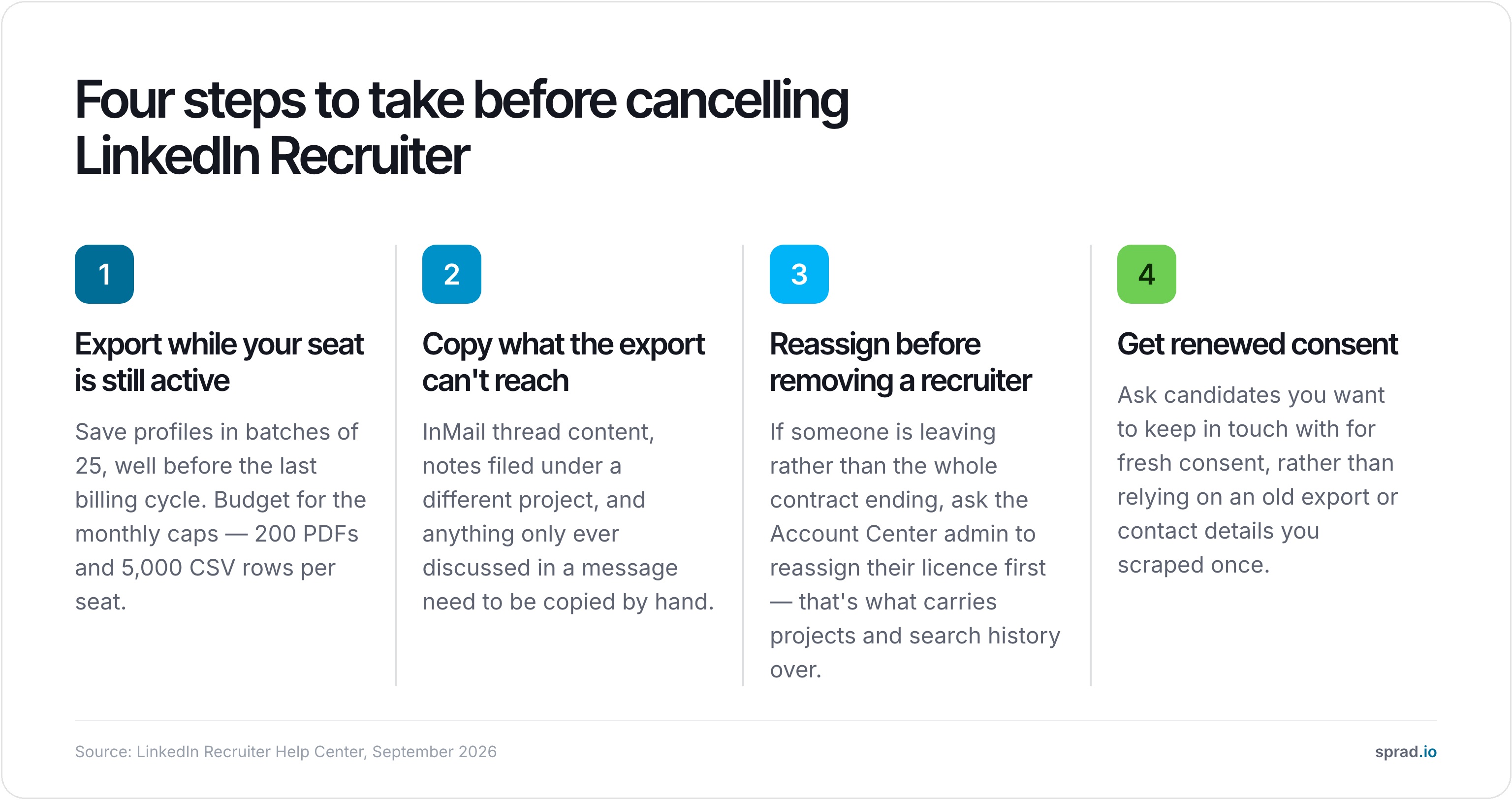
- Export while the seat is still active, in batches of 25, well before the last billing cycle — not the week it ends. Budget for the monthly caps (200 PDFs, 5,000 CSV rows per seat) if you're clearing out several projects at once.
- Copy what the native export can't reach by hand: InMail thread content, notes filed under a different project, and anything only ever discussed in a message rather than logged as a note.
- If a recruiter is leaving rather than the whole contract ending, ask the Account Center admin to reassign their licence before removing them — that's what carries the projects and search history over, not a later data request.
- Get renewed consent from candidates you want to keep in touch with, rather than relying on an old export or contact details you scraped once.
- Check what a pool-first tool costs before you assume LinkedIn Recruiter is the only option. Sprad starts with 200 free credits every month, no credit card required, and the ATS plus talent pool runs at €59 per recruiter a month, with search, outreach and interviews billed only when they actually happen (rejected profiles cost nothing).
That last point is the real difference in philosophy. You are not renting reach year after year at a rising price, with a 25-profile export cap standing between you and your own pipeline — a price that rose roughly 15% on Recruiter Corporate renewals in 2026 alone.
You are building a pool that stays with your agency, independent of LinkedIn's export limits and independent of any single recruiter's login. See what that looks like for an agency your size on the recruitment agencies page, compare the running cost on the pricing page, or read the full five-step approach in how to build a talent pool your agency owns.
FAQ
Can I export my candidates from LinkedIn Recruiter before cancelling?
Yes, but only in a limited form. LinkedIn's own export lets you save up to 25 profiles per action as PDF or CSV, capped at 200 PDFs and 5,000 CSV rows a month per seat. It covers name, title, company, location and same-project pipeline notes — not InMail content, cross-project notes or a candidate's own verified contact details.
Does Recruiter Lite support the same export as Recruiter Corporate?
No. Recruiter Lite only offers PDF export. CSV export, the format most agencies actually want for their ATS, is a Recruiter Corporate feature.
What happens to InMail messages after I cancel?
InMail threads become inaccessible once the seat is deactivated, and no export format includes their content. Any commitments or context discussed by InMail need to be logged elsewhere while the seat is still active.
Does the candidate data belong to the agency or to the individual recruiter?
On Recruiter Lite, seats are tied to an individual's personal LinkedIn login with no admin layer to reassign them. On Recruiter Corporate, an Account Center admin can reassign a departing recruiter's licence and carry the projects over — but only if that reassignment happens before the person is simply removed.
Is there a legal way to request "my" LinkedIn data?
LinkedIn offers a personal data download under GDPR, but it returns the individual member's own profile and activity data, not a structured export of the candidates a recruiter sourced and rated on the company's behalf.
What's the difference between a talent pool tool and LinkedIn Recruiter?
A talent pool tool stores candidates against your agency's own workspace rather than one recruiter's personal seat, exports without a 25-profile batch limit, and asks candidates for active consent to stay in touch — so the pool doesn't disappear with a cancellation or a departing recruiter.
Jürgen Ulbrich
Jürgen Ulbrich has more than a decade of experience in developing and leading high-performing teams and companies. As an expert in employee referral programs as well as feedback and performance processes, Jürgen has helped over 100 organizations optimize their talent acquisition and development strategies.